Because "Checking In" Shouldn't Take Over Your Entire Day
Let's paint a familiar picture. You're a personal trainer. You love helping people get stronger, move better, and finally commit to the fitness goals they've been announcing since New Year's 2019. What you did not sign up for is spending half your morning sending the same check-in message to 30 different clients, manually logging their responses, chasing down the ones who didn't reply, and somehow doing all of this while also, you know, actually training people.
Meet Marcus. He runs a small personal training business with 35 active clients — a mix of in-person sessions at his gym and remote coaching clients he manages online. Marcus is good at what he does. His clients get results. But every week, he was hemorrhaging time on administrative tasks that had absolutely nothing to do with building muscle or improving anyone's squat form. Specifically, client check-ins were eating five or more hours of his week — every single week.
The fix wasn't hiring a full-time assistant. It wasn't building some elaborate spreadsheet system held together with hope and conditional formatting. It was automation — and it changed how Marcus runs his business entirely.
The Real Cost of Manual Check-Ins (It's More Than You Think)
Time Is the One Resource You Can't Buy More Of
Five hours a week sounds manageable until you do the math. That's 20 hours a month. Over a year, that's more than 240 hours — roughly six full work weeks — spent on tasks that could theoretically run themselves. For a solo operator or small fitness business, that's coaching time, content creation time, business development time, or frankly, rest time that simply evaporates into a pile of unanswered check-in messages and manually updated spreadsheets.
And it's not just the time. There's the mental overhead. Every time Marcus toggled between clients, remembered who hadn't responded, and tried to recall whether Jordan mentioned a knee issue two weeks ago or three, he was burning cognitive bandwidth that could have gone toward actually helping Jordan. Decision fatigue is real, and administrative clutter makes it worse.
What "Client Check-Ins" Actually Involves
People outside the fitness coaching world might assume a check-in is a quick "how are you doing?" But in practice, a structured client check-in involves collecting meaningful data — workout adherence, sleep quality, stress levels, nutrition habits, progress photos, energy scores, and more. Then that data needs to be logged, reviewed, and acted upon before the next session or coaching touchpoint.
When you're doing this manually for dozens of clients, the process looks something like this:
- Drafting individual messages or copying templates and personalizing them
- Sending via text, email, or WhatsApp (often all three, depending on the client)
- Following up with non-responders
- Reading and interpreting responses
- Manually entering data into a spreadsheet or CRM
- Flagging clients who need immediate attention
It's a part-time job disguised as a routine task. And for many trainers, it happens before their actual workday even starts.
The Hidden Business Risk of Doing It All Yourself
There's also a scalability problem baked into the manual approach. Marcus couldn't take on more clients — not because he lacked the skills or the demand, but because he was already at capacity administratively. Every new client meant more check-ins, more data to manage, more follow-ups. The ceiling wasn't expertise. It was bandwidth. That's a dangerous place for a growing business to be stuck.
How Automation (and a Little AI) Changed Everything for Marcus
Building a System That Works While He Sleeps
Marcus started by mapping out exactly what his check-in process needed to accomplish: collect weekly data from clients, store it in an organized way, flag anything that needed his personal attention, and prompt him with a summary before each client's session. Once he had that framework, he could build automation around each step rather than doing each step himself.
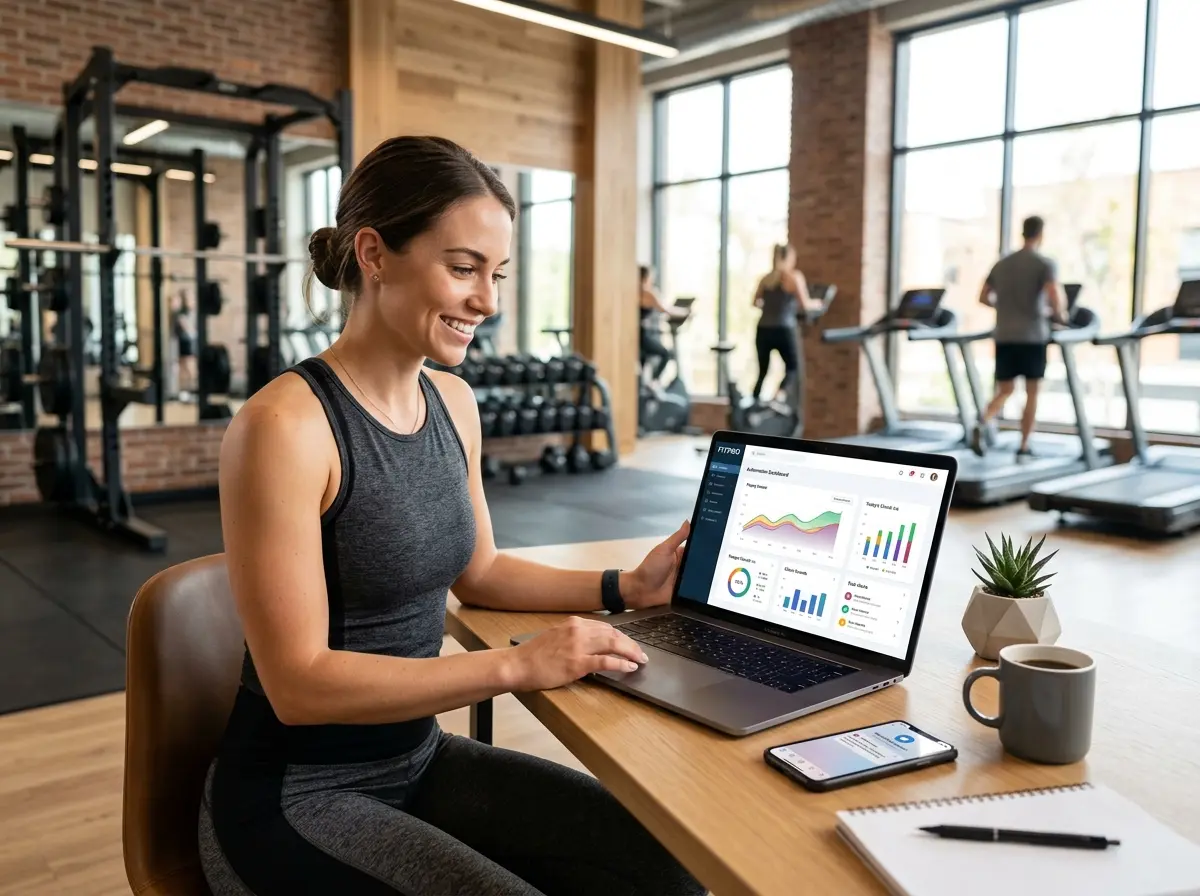
He used a combination of automated intake forms (sent on a scheduled cadence), conditional logic to route responses, and a CRM that kept everything in one place. Clients received their weekly check-in form automatically. Responses were logged automatically. Summaries were generated and waiting for him — no manual data entry required.
This is where tools like Stella become genuinely useful for fitness businesses, and especially for those managing both physical locations and remote clients. Stella's built-in CRM with custom fields, tags, and AI-generated client profiles means Marcus could track client-specific notes, flag patterns over time, and use conversational intake forms to collect check-in data — whether that's over the phone, via the web, or even at a gym kiosk. For clients who prefer calling in or stopping by, Stella handles the interaction and logs everything automatically, keeping his client records current without Marcus lifting a finger.
Setting Up Your Own Automated Check-In System
Start With the Right Intake Form Structure
The foundation of any good automated check-in is a well-designed form. It needs to be short enough that clients actually complete it, but comprehensive enough to give you actionable data. Most successful trainers keep it to five to eight questions covering the core pillars: training adherence, energy and sleep, nutrition, stress, and any physical issues or pain points. Keep the questions consistent week over week so you can spot trends, and use rating scales (1–10) wherever possible — they're faster for clients to complete and easier for you to scan quickly.
Include one open-ended field at the end for anything the client wants to flag. This is often where the most important information lives, and clients appreciate having space to say something that doesn't fit neatly into a multiple-choice answer.
Automate the Delivery and Follow-Up
Once your form is built, schedule it. Most trainers send check-ins on a consistent day each week — Sunday evening or Monday morning tends to work well because it sets the tone for the upcoming week. Use your automation platform to send the form, then set a follow-up reminder to go out automatically 24 hours later to anyone who hasn't responded. That one step alone eliminates the manual chase that used to consume an hour of Marcus's Monday.
If a client consistently doesn't respond, your system should flag them for personal outreach. Some clients disengage quietly before they actually quit — catching that pattern early is both a retention strategy and a genuine service to the client.
Use AI to Turn Data Into Action
Collecting data is only valuable if you actually use it. This is where AI-generated summaries and profile notes earn their keep. Rather than reading through every response from scratch before each session, Marcus now reviews a brief AI-generated summary that highlights changes from the previous week, flags anything concerning, and surfaces relevant notes from past conversations. His prep time before sessions dropped from 10–15 minutes per client to about two minutes. Multiply that across 35 clients and the math gets very satisfying very quickly.
The goal isn't to remove the human element from coaching — it's to make sure the human element is focused on the right things. Marcus now shows up to every session more informed, more prepared, and more present than he ever was when he was doing everything manually.
Quick Reminder About Stella
Stella is an AI robot employee and phone receptionist designed to handle the front-end of your business operations — greeting customers at a physical kiosk, answering phone calls 24/7, collecting intake information, managing a built-in CRM, and a whole lot more. For personal trainers and fitness businesses juggling in-person and remote clients, she offers a practical, affordable way to keep things running smoothly without adding headcount. At $99/month with no upfront hardware costs, she's available when you're busy coaching — which, if things go well, is most of the time.
Your Next Steps: From Overwhelmed to Automated
If Marcus's story sounds uncomfortably familiar, here's where to start. This week, time yourself. Track exactly how long your current check-in process takes from start to finish. Include the drafting, sending, following up, logging, and reviewing. Get an honest number. Then ask yourself what you'd do with that time back.
From there, the path forward is straightforward:
- Audit your current process. Identify every manual step in your check-in workflow and ask whether it could be automated or templated.
- Build a standardized intake form. Keep it focused, consistent, and client-friendly.
- Choose tools that integrate. Your form, CRM, and communication tools should talk to each other. If they don't, you'll just be moving manual work around rather than eliminating it.
- Set up automated delivery and follow-up. Let the system do the reminding so you don't have to.
- Review AI summaries, not raw data. Use technology to distill information so your coaching attention goes to the clients, not the spreadsheets.
Automation won't replace what makes you a great trainer. It'll just stop everything else from getting in the way of it. Marcus now takes on new clients with confidence, spends his mornings coaching instead of admin-ing, and hasn't manually sent a check-in message in months. That's not a hack. That's just a better business.