Introduction: The Inventory Juggling Act Nobody Warned You About
You sold the last blue jacket to a walk-in customer at 2:47 PM. By 2:52 PM, someone online has already purchased that same jacket, received a confirmation email, and is mentally planning their outfit. Congratulations — you've just oversold a product you don't have, and now you get to write that awkward "sorry, we actually don't have that" email. Fun times.
If you run both a physical storefront and an online shop, you already know that keeping your inventory in sync is one of the more quietly maddening challenges of modern retail. It's not glamorous. Nobody posts about it on Instagram. But it can absolutely torpedo your customer experience, drain your staff's time, and cost you real money if you don't get it right.
The good news? It's a solvable problem — and you don't need to be a tech wizard or hire a full-time inventory manager to do it. You just need the right systems, a little discipline, and maybe a strong cup of coffee. Let's break it down.
Understanding Why Your Inventory Gets Out of Sync in the First Place
Before you can fix the problem, it helps to understand why it keeps happening. Spoiler: it's rarely one single thing. It's usually a delightful cocktail of manual processes, disconnected platforms, and human error.
The "Two Systems, Zero Communication" Problem
Many small business owners start their in-store operations with one point-of-sale (POS) system and build their online store on a completely separate platform — think Shopify for online and Square for in-store, or WooCommerce paired with a legacy register. These systems don't talk to each other by default, which means every sale that happens in one place is completely invisible to the other. Your online store keeps happily selling products that walked out the door hours ago.
This is by far the most common root cause. According to a study by Stitch Labs, retailers with disconnected inventory systems lose an average of $1.75 trillion globally in sales annually due to out-of-stock and overstock situations. That's a number with a lot of zeros, and a healthy chunk of it comes down to poor synchronization.
Manual Updates: The Beautiful Disaster
Some business owners try to solve this with manual updates — someone physically counts or tracks what sold in-store and updates the website accordingly. This works until it doesn't, which is usually around the third busy Saturday when your staff is juggling five things at once and the inventory update gets pushed to "later." Later never comes. Your online store still thinks you have three of those sold-out candles in stock.
Vendor and Restock Timing Gaps
Even if your systems are reasonably synced, receiving new stock creates its own chaos. Items arrive, get stacked in the back, and sometimes hit the sales floor before they're entered into any system. Meanwhile, your online store shows zero availability because nobody updated the incoming shipment. You're turning away online customers for products that are literally sitting ten feet from your register.
Practical Strategies to Actually Keep Things in Sync
Unify Your Commerce Platform
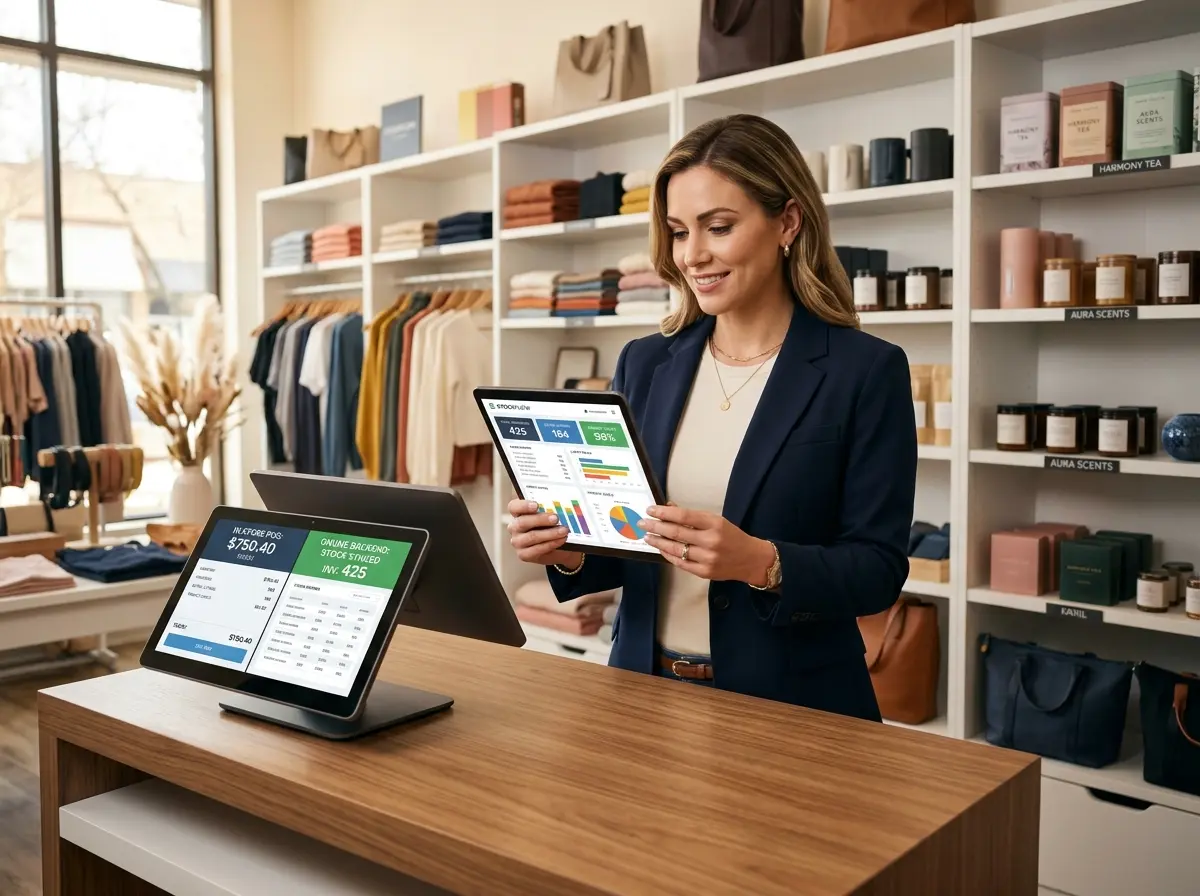
The single most impactful move you can make is consolidating to one platform that natively handles both in-store and online inventory. Shopify POS, Square for Retail, Lightspeed, and BigCommerce all offer unified solutions where a sale in your store instantly updates your online stock — and vice versa. Yes, migrating platforms is a bit of a headache upfront. But it's a one-time headache versus a recurring weekly disaster. Think of it as ripping off the Band-Aid.
When evaluating platforms, look specifically for real-time sync across channels, multi-location support if you have more than one store, and low-stock alerts that notify you before something sells out completely.
Set Buffer Stock Levels
Even with a unified platform, there's always a small window of lag between a sale and a sync — usually just seconds, but seconds matter during a flash sale or a busy holiday weekend. A smart workaround is to set a buffer stock level in your online store. If you physically have 5 units, list only 4 as available online. That buffer gives you breathing room and dramatically reduces the chance of an oversell. It's not a perfect science, but it's practical and widely used by experienced retailers.
Let Technology Handle the Repetitive Stuff (Seriously, Let It)
Here's an area where leaning on smart tools pays real dividends — not just for inventory, but for your entire customer-facing operation. When your systems are doing the heavy lifting automatically, your staff can focus on actual customer service instead of frantically updating spreadsheets.
Where Stella Fits Into Your Business Workflow
While Stella isn't an inventory management tool per se, she addresses something that inventory chaos often creates: staff distraction. When your team is overwhelmed trying to manually manage stock, answer the phone, greet customers, and handle questions all at once, things fall through the cracks — including those critical inventory updates.
Stella is an AI robot employee and phone receptionist that stands in your store as a human-sized kiosk, proactively greeting customers, answering product and service questions, promoting current deals, and handling upsells — all without pulling your staff away from their actual jobs. She also answers phone calls 24/7 with the same knowledge she uses in person, so your team isn't constantly interrupted by "do you have this in a size medium?" calls while they're trying to run the floor. The result? Your people have more bandwidth to focus on the operational tasks that actually require human attention — like keeping your inventory accurate.
Building a Sustainable Inventory Management Routine
Establish a Daily Reconciliation Habit
Even the best automated systems benefit from a human check-in. Build a short daily routine — 10 to 15 minutes, ideally at open or close — where someone quickly reviews the previous day's sales across both channels and confirms that stock levels look right. This doesn't need to be a deep audit. You're just scanning for obvious anomalies: anything that sold out, anything that's suspiciously low, any discrepancies between what the system says and what's actually on the shelf.
This habit catches small errors before they snowball. A five-minute fix today beats a 45-minute customer service crisis tomorrow. Assign it to a specific person with a specific time — "whoever does it when they feel like it" is a policy that reliably produces nobody doing it.
Automate Your Low-Stock Alerts
Every decent inventory system lets you set automated alerts when a product drops below a threshold you define. Use this feature — aggressively. Set your thresholds higher than you think you need to, especially for your bestsellers. Getting an alert when you're down to your last two units gives you time to either reorder or proactively pull the item from your online store before it oversells. Getting an alert when you're already at zero is just a notification that something has already gone wrong.
Conduct Monthly Spot Audits
A full physical inventory count annually is standard practice, but monthly spot audits of your top 20 or 30 products by volume can save you enormous headaches. Pick your highest-turnover items, count them physically, and compare against your system. If there's a consistent gap between what the system says and what's actually there, you've got a process problem — whether it's items being sold without being scanned, theft, or a receiving error. Finding that gap early is far less painful than discovering it at year-end or, worse, after a string of angry customer emails.
Quick Reminder About Stella
Stella is an AI robot employee and phone receptionist available for just $99/month with no upfront hardware costs. She works in your physical store as a kiosk that greets customers and answers questions, and she handles your incoming calls around the clock so your team can stay focused. Whether you're in retail, hospitality, healthcare, or any other industry, she's ready to show up, work hard, and never ask for a day off.
Conclusion: Sync Smarter, Stress Less
Keeping your in-store and online inventory in sync isn't about achieving some impossible state of perfection — it's about building systems that make the chaos manageable and the errors rare. Start by consolidating to a unified commerce platform if you haven't already. Layer in buffer stock levels and automated alerts. Build a simple daily reconciliation habit and run monthly spot audits on your top products. These aren't complicated strategies, but they compound over time into a significantly smoother operation.
And while you're optimizing your back-end processes, don't overlook the front end. Freeing your staff from constant interruptions — whether that's phone calls or in-store questions — gives them the capacity to actually execute on these routines consistently. That's where smart tools like Stella can quietly make a big difference behind the scenes.
The goal isn't a perfect system. The goal is a system where selling a jacket in-store at 2:47 PM means your online store knows about it by 2:47 PM and one second. You've got the tools. Now go build the habit.