Introduction: So You've Got More Nail Techs Than You Can Keep Track Of
Congratulations — your nail salon is growing. What started as a one-person operation with a single nail lamp and a dream has blossomed into a full team of talented technicians, each with their own clients, specialties, availability windows, and opinions about which gel top coat is superior. Growth is wonderful. Scheduling all of it? Slightly less wonderful.
Multi-staff scheduling is one of those operational challenges that sounds simple until you're staring at a booking calendar that looks like a game of Tetris played by someone who's never heard of Tetris. Double bookings, gaps between appointments, technicians standing idle while others drown in clients — it adds up fast. According to a study by Appointy, scheduling inefficiencies can cost service businesses up to 20% of their potential revenue, largely due to no-shows, overlaps, and poor resource utilization.
The good news: building a reliable, scalable multi-staff scheduling system doesn't require a degree in logistics. It requires the right tools, the right structure, and a willingness to stop relying on a whiteboard and three group texts to manage your week. Let's break it down.
Building the Foundation of Your Scheduling System
Define Each Technician's Role, Skills, and Availability
Before you can schedule anyone effectively, you need a clear picture of who does what — and when. Not all nail techs are created equal, and that's actually a good thing. One technician may specialize in acrylic extensions while another is your go-to for intricate nail art that takes twice as long and commands twice the price. Knowing these distinctions isn't just helpful; it's essential for building a scheduling system that actually reflects reality.
Start by documenting each team member's service offerings, certifications, and average service durations. Create a simple skills matrix — even a spreadsheet works — that maps technicians to service types. Then establish firm availability windows, accounting for preferred hours, part-time status, and any recurring commitments. The goal is to build a profile for each staff member that your scheduling system can reference when slotting appointments, so you're never accidentally booking your nail art specialist for a 20-minute express manicure while a client waits three weeks for her custom set.
Choose Scheduling Software Built for Multi-Staff Salons
This is not the place to improvise. There are several salon management platforms designed specifically for multi-staff environments, including Vagaro, Booksy, GlossGenius, and Square Appointments. These tools allow you to assign services to specific technicians, set individual availability, manage color-coded calendars per staff member, and give clients the option to book directly online with their preferred tech.
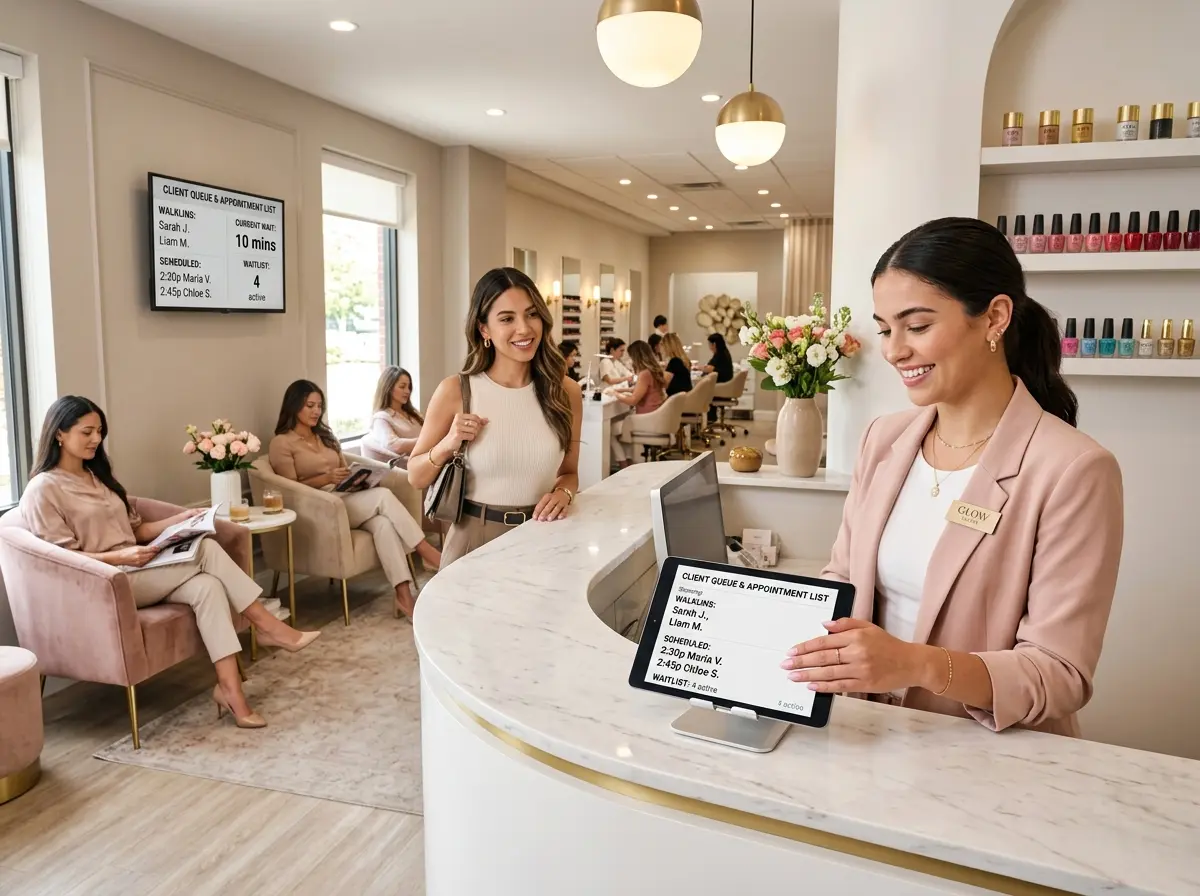
When evaluating software, prioritize features like automated appointment reminders (which can reduce no-shows by up to 29%, according to Acuity Scheduling), waitlist management, and real-time availability syncing. If your team works staggered shifts or your salon runs extended hours, make sure the platform can handle overlapping schedules without imploding. The right software becomes the backbone of your entire operation — choose it carefully and train your team thoroughly.
Set Buffer Times and Service Duration Standards
One of the most overlooked elements of an effective scheduling system is the humble buffer. That 10–15 minutes between appointments isn't wasted time — it's the time your technician uses to clean their station, sanitize tools, breathe like a human being, and prepare for the next client. Without it, schedules cascade into chaos faster than you'd believe.
Standardizing service durations is equally important. If one technician consistently finishes a full set in 75 minutes while another needs 90, your scheduling system needs to reflect those individual differences. Build duration templates per technician per service, and configure your software to block time accordingly. Consistency in your scheduling logic is what separates a salon that runs smoothly from one where every day feels like a fire drill.
Letting Technology Handle the Front Desk Chaos
Automate Booking Confirmations and Reminders
Once your scheduling infrastructure is in place, automation becomes your best friend. Automated confirmations and reminders sent via text or email do more than reduce no-shows — they signal professionalism and give clients the confidence that their appointment is locked in. Set up a sequence: a confirmation immediately after booking, a reminder 48 hours out, and a final nudge the morning of. Most scheduling platforms support this natively, so there's no excuse not to use it.
You can also automate cancellation and rebooking workflows. When a client cancels, your system should automatically notify anyone on the waitlist and offer them the slot — turning a potential gap in revenue into a filled appointment without your front desk staff lifting a finger. This level of automation is not a luxury; it's a baseline expectation for a salon running multiple technicians.
How Stella Fits Into Your Salon's Front-of-House
Even the best scheduling software can't answer a ringing phone at 8pm when your staff has gone home for the night. That's where Stella steps in. Stella is an AI robot employee and phone receptionist that answers calls 24/7, handles questions about services, hours, and pricing, and collects customer information through conversational intake forms — all without putting your team on the clock after closing. For salons with a physical location, she also greets walk-in customers proactively, promotes current specials, and answers questions that would otherwise pull your technicians away from their clients mid-set.
Stella's built-in CRM stores client details, tags, notes, and AI-generated profiles — which means the information collected during a phone inquiry or walk-in interaction is organized and accessible, not lost in a stack of sticky notes. For a growing multi-staff salon, that kind of seamless front-of-house support means your team can stay focused on doing what they do best.
Managing the Human Side of Scheduling
Establish Clear Policies for Time Off, Swaps, and Last-Minute Changes
Scheduling software is only as good as the humans using it — and humans, bless them, call out sick, request days off, and occasionally need to swap shifts with zero notice. Without a clear policy framework, these moments create confusion, resentment, and the occasional scheduling disaster that ends with an unhappy client staring at an empty station.
Document your policies explicitly. How far in advance must time-off requests be submitted? Who is responsible for finding coverage if a technician can't make it in? What happens to a client's appointment when their preferred tech is unavailable — is the client notified, offered an alternative tech, or rescheduled? These aren't fun conversations, but having the answers written down before the situation arises saves enormous headaches. Post the policy somewhere visible, review it during onboarding, and stick to it consistently.
Use Data to Optimize Your Schedule Over Time
Your scheduling system is generating data every day — and if you're not looking at it, you're leaving money on the table. Most salon management platforms include reporting dashboards that show you which time slots fill fastest, which technicians have the highest rebooking rates, which services generate the most revenue per hour, and where your schedule consistently gaps out.
Use this data to make smarter decisions. If Tuesday afternoons are perpetually slow for everyone, consider running a midweek promotion to drive traffic. If one technician's schedule is always overbooked while another has consistent gaps, explore whether marketing, service pricing, or skill-building can help redistribute demand. Scheduling isn't static — it should evolve as your team grows, your client base shifts, and your salon's offerings expand. Treat your data like a roadmap, not just a report card.
Keep Your Team in the Loop and Invested in the System
The most elegantly designed scheduling system fails if your team doesn't use it properly. Buy-in matters. When rolling out or overhauling your scheduling setup, involve your technicians in the process. Ask for their feedback on the software interface, make sure they understand how to update their own availability, and be transparent about how scheduling decisions are made. A team that understands the system — and sees it working in their favor — is far more likely to support it.
Consider designating a scheduling lead on your team: someone who serves as the first point of contact for swap requests, availability updates, and system questions. This person doesn't need to be a manager, but they should be detail-oriented and reliable. Distributing ownership of the schedule reduces the administrative burden on you as the owner and creates accountability within the team itself.
Quick Reminder About Stella
Stella is an AI robot employee and phone receptionist available for just $99/month with no upfront hardware costs. She answers calls around the clock, greets in-store customers, promotes your services and specials, and keeps your front-of-house running smoothly — even when your staff is fully booked or off the clock. For a growing nail salon juggling multiple technicians and an ever-expanding client list, she's the kind of backup that never calls out sick.
Conclusion: Your Next Steps Toward a Scheduling System That Actually Works
Building a multi-staff scheduling system isn't a one-afternoon project, but it's also not as daunting as it feels when you're in the thick of back-to-back bookings and a ringing phone. The path forward is clear: document your team's roles and availability, invest in the right scheduling software, set buffer standards, automate the repetitive stuff, and establish policies that keep everything running predictably.
Here's a simple action plan to get started this week:
- Audit your current setup. Write down every pain point in your existing scheduling process — double bookings, gaps, last-minute chaos. You can't fix what you haven't named.
- Build your technician profiles. Document each team member's services, durations, and availability before you touch any software.
- Evaluate two or three scheduling platforms specifically designed for salons. Most offer free trials — use them.
- Draft your scheduling policy document and share it with your team. Cover time off, swaps, and client communication protocols.
- Schedule a monthly data review to assess what's working and where your schedule can be optimized.
Your salon's growth is something to be proud of. With the right scheduling foundation underneath it, that growth becomes sustainable — and a whole lot less stressful. Your clients will notice the professionalism, your technicians will appreciate the clarity, and you might even get to enjoy a lunch break that doesn't involve fielding three simultaneous booking requests. Imagine that.