Introduction: The Phone That Never Stops Ringing
If you run a medical practice, you already know the sound. That relentless ringing that starts at 8:01 AM and doesn't let up until someone — usually your most overworked front desk staff member — finally escapes to the break room. And what are most of those calls about? Appointment confirmations. Directions. Office hours. Whether you accept a specific insurance. Things that, frankly, your website technically already answers — if only patients would look.
But they don't look. They call. And that's not entirely their fault. Medical practices have historically made it just inconvenient enough to find information online that picking up the phone feels like the path of least resistance. The good news is that this is entirely fixable, and building a well-designed client portal is one of the most impactful investments you can make in your practice's efficiency.
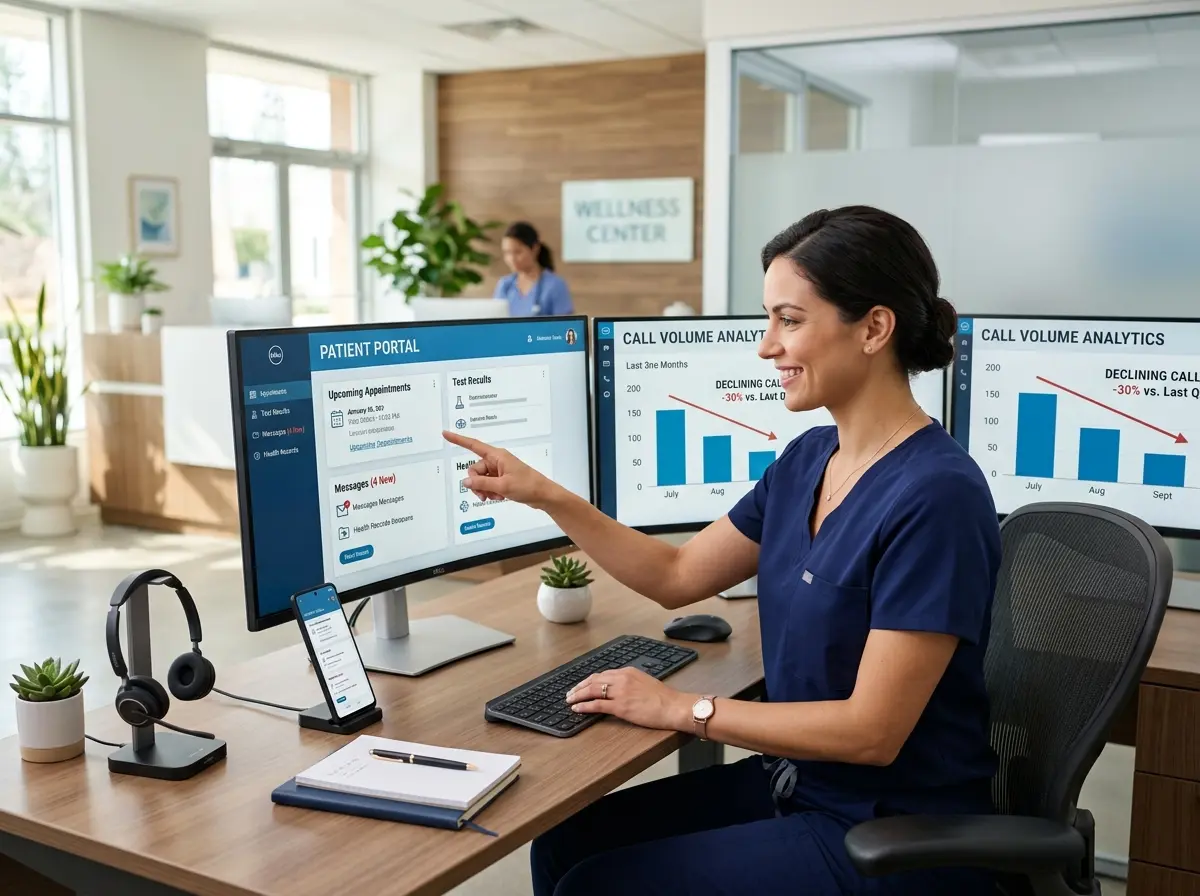
Studies suggest that practices with robust self-service portals reduce inbound calls by anywhere from 25% to 40%, freeing staff to focus on what actually matters — patient care, complex scheduling, and not losing their minds before noon. In this post, we'll walk you through exactly how to build a client portal that does the heavy lifting for you.
Designing a Portal Patients Will Actually Use
Here's the dirty little secret about most medical practice portals: they exist, technically, but they're so clunky and confusing that patients give up after 45 seconds and — you guessed it — call the office. A portal that lives on your website but gets abandoned is not a portal. It's digital furniture.
Start With the Five Most Common Call Reasons
Before you build anything, pull up your call logs or simply ask your front desk staff what questions they answer on repeat. In most practices, the top five inbound call reasons follow a predictable pattern: appointment scheduling or rescheduling, prescription refill requests, test result inquiries, billing questions, and general information like hours, location, and insurance acceptance.
Your portal should address every single one of these proactively and clearly. If patients can schedule, reschedule, request refills, view results, pay bills, and find basic info all from one clean dashboard, you've just eliminated the reason for the majority of your incoming calls. That's not wishful thinking — that's strategic design.
Prioritize Mobile-First Design
Over 60% of healthcare-related searches now happen on mobile devices, and your patients are no different. If your portal requires zooming in, squinting, or performing small acts of acrobatics to navigate on a smartphone, it will not be used. Work with your portal provider or developer to ensure that every feature — scheduling, messaging, document uploads — is fully functional and intuitive on a mobile screen. Test it yourself on your phone before you launch it. If you find yourself frustrated, your patients will too.
Remove Friction at Every Step
Registration should take under two minutes. Password recovery should be instant. Appointment requests should confirm automatically, not require a callback. Every extra click, every unnecessary form field, every "we'll get back to you within 24 hours" message is an invitation for the patient to abandon the portal and dial your front desk instead. Think of friction as a slow leak — it seems minor until you realize it's been draining your efficiency for months.
Leveraging Technology to Handle What the Portal Can't
Even the best client portal won't catch everything. Some patients prefer to call. Some questions are genuinely complex. Some people just want to hear a human — or at least a very convincing approximation of one. This is where layering your portal strategy with smart front-of-house technology pays off.
Meet Your New Front Desk Colleague (Who Never Calls in Sick)
Stella is an AI robot employee and phone receptionist that answers calls 24/7 with accurate, business-specific information — the kind your front desk staff spends half their day reciting. For medical practices, this means Stella can handle incoming calls about hours, directions, insurance questions, and general policy information without tying up a single human employee. She can also collect patient information through conversational intake forms right over the phone, automatically logging details into her built-in CRM with AI-generated profiles, custom fields, and tags — so when a staff member does need to follow up, the groundwork is already done.
Stella also operates as a physical kiosk presence for practices with a waiting room, where she can greet patients, answer questions, and provide a professional, consistent experience even during your busiest hours. Paired with a solid client portal, she becomes the bridge between digital self-service and the human touch — handling the routine so your team can handle the rest.
Driving Adoption So the Portal Actually Gets Used
You can build the most elegant, intuitive patient portal in the history of healthcare, and it will still collect digital dust if patients don't know it exists or don't understand why they should bother. Portal adoption is its own project, and it deserves real attention.
Introduce the Portal at Every Touchpoint
Adoption starts with awareness, and awareness requires repetition. Mention the portal during appointment reminders — both email and text. Include a brief tutorial link in your new patient welcome materials. Post a QR code in your waiting room that takes patients directly to the registration page. Train your staff to casually mention it during checkout: "You can request your next appointment right from the portal — it takes about 30 seconds." Small, consistent nudges compound into meaningful behavioral change over time.
Use Incentives and Proof Points
Patients respond well to convenience-based messaging. Highlight what the portal saves them — no hold music, no waiting for a callback, the ability to message their provider at 10 PM without guilt. If you've already seen a reduction in wait times or faster prescription processing since launching the portal, say so. Real-world proof that the system works is one of the most effective adoption tools you have. You can even run a brief campaign: "Patients who manage appointments online report 40% faster response times." Numbers, even modest ones, build credibility.
Gather Feedback and Iterate
No portal launch is perfect, and the practices that see the greatest long-term reduction in inbound calls are the ones that treat their portal as a living product rather than a one-time implementation. Send a brief satisfaction survey to portal users after their first few interactions. Ask what was confusing, what was missing, and what they wish they could do online that they currently can't. Then fix those things. A portal that improves over time earns loyalty — and loyalty means fewer calls.
Quick Reminder About Stella
Stella is an AI robot employee and phone receptionist that works around the clock answering calls, greeting patients in person at a physical kiosk, and collecting intake information through conversational forms — all for $99/month with no upfront hardware costs. For medical practices juggling portal adoption, staff bandwidth, and patient experience simultaneously, she's the kind of support that doesn't require a benefits package or a lunch break.
Conclusion: Fewer Calls, Happier Staff, Better Care
Building a client portal that genuinely reduces inbound calls isn't a one-afternoon project, but it's one of the highest-return investments a medical practice can make. When patients can schedule, message, pay, and find information on their own, your front desk staff transforms from a human FAQ machine into a team that actually moves the needle on patient experience.
Here's your actionable roadmap to get started:
- Audit your inbound calls for one week and identify the top five reasons patients are calling.
- Map those reasons to portal features — scheduling, billing, messaging, forms, and information pages.
- Evaluate your current portal (or select one) with a mobile-first, low-friction standard.
- Build an adoption campaign using touchpoint reminders, waiting room signage, and staff training.
- Layer in phone support tools like Stella to handle residual call volume intelligently and automatically.
- Collect feedback, measure results, and iterate every quarter.
A 30% reduction in inbound calls is not a fantasy — it's a documented outcome of practices that take this seriously. Your staff will thank you. Your patients will appreciate the convenience. And you'll finally be able to hear yourself think before noon.