Introduction: Because "Chaos" Is Not a Booking System
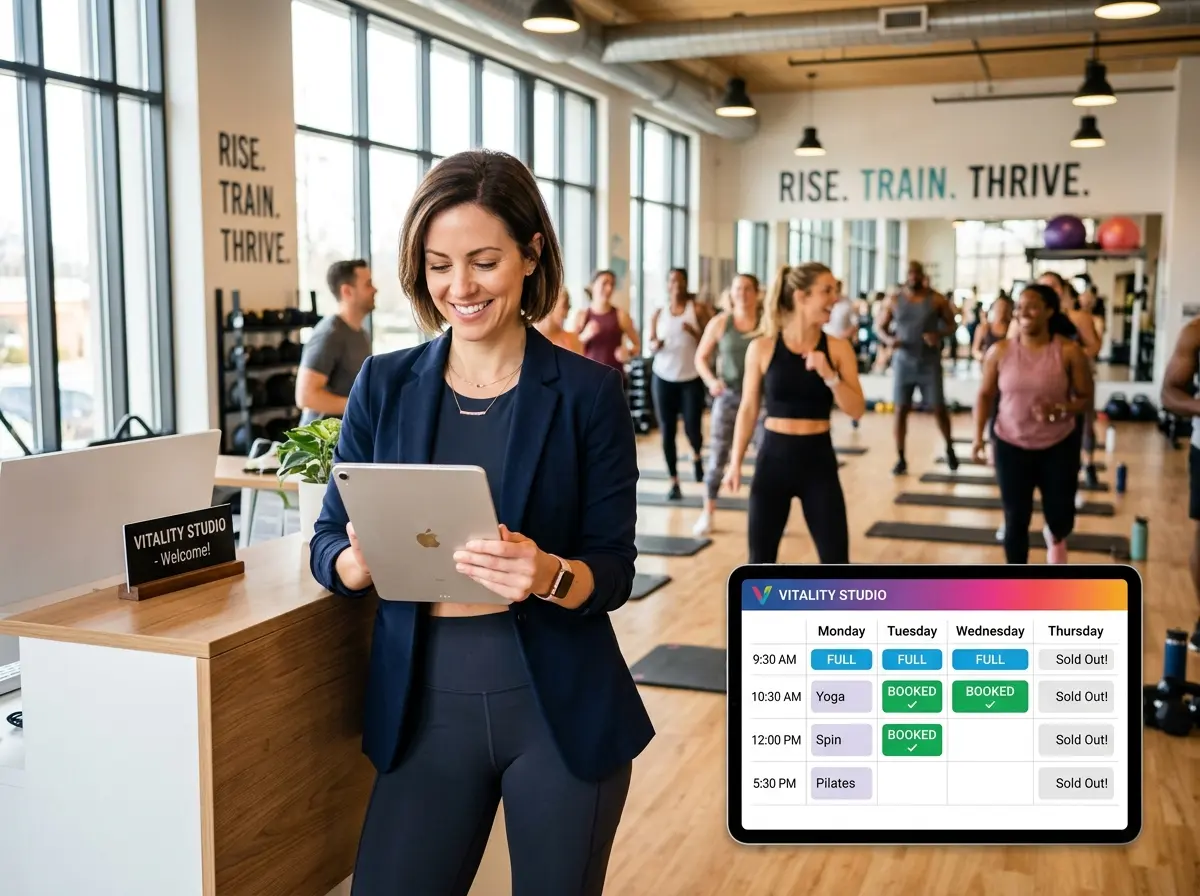
You opened a yoga studio to help people find peace, balance, and inner clarity. Somewhere along the way, you also became the person managing a spreadsheet of class registrations, answering texts at 11 PM about whether Tuesday's power flow is full, and manually reminding 14 different people that their spot is about to be released. Namaste, indeed.
Here's the reality: a poorly managed group class booking system doesn't just stress you out — it actively costs you money. Missed registrations, no-shows with no accountability, double-booked instructors, and frustrated members who couldn't figure out how to sign up are all silent revenue leaks. According to Mindbody's wellness industry report, studios that implement automated scheduling and booking see an average 30% reduction in administrative workload and measurable improvements in client retention.
The good news? Building a group class booking system that largely manages itself is completely achievable — and it doesn't require a tech degree or a second mortgage. This guide walks you through exactly how to do it, from the tools you need to the workflows that will free up your time so you can, you know, actually enjoy the business you built.
Laying the Foundation: What a Self-Managing Booking System Actually Needs
Before you start downloading every scheduling app on the market, it helps to understand what separates a functional booking system from one that just adds a new layer of complexity to your life. A truly self-managing system has three core pillars: automation, integration, and accountability. Get those right, and the machine runs itself.
Choosing the Right Booking Software for Group Classes
Not all booking software is created equal, and what works for a one-on-one personal trainer won't necessarily hold up when you're juggling six class types, three instructors, waitlists, membership tiers, and drop-in pricing. For yoga studios specifically, platforms like Mindbody, Pike13, Glofox, or WellnessLiving are purpose-built for group class environments and come with features like recurring class schedules, capacity limits, waitlist management, and instructor assignments baked right in.
When evaluating your options, prioritize these non-negotiables: automated confirmation emails, waitlist automation that promotes clients without manual intervention, cancellation policies with automatic enforcement, and a mobile-friendly client interface. If your members have to pinch-and-zoom on a desktop website from 2009 to book a class, you've already lost half of them.
Setting Up Your Class Schedule for Maximum Automation
Once you have your platform, the setup phase is where most studio owners cut corners — and then wonder why everything still feels manual six months later. Take the time to build your schedule as recurring templates rather than individual events. Set your capacity limits, buffer times, and cancellation windows once, and let the system replicate them automatically.
Define your late cancellation and no-show policies clearly within the platform so they enforce themselves. If someone cancels two hours before a packed Saturday morning vinyasa class, the system should automatically flag it, release the spot to the waitlist, and charge the cancellation fee — all without you lifting a finger. This isn't being harsh; it's being professional. And your loyal members who show up every week will thank you for holding the line.
Automating Communication So You Stop Playing Human Notification Bot
If you are currently the person manually sending class reminders, booking confirmations, and "we missed you" messages, this section is your intervention. Automated communication is the single highest-leverage thing you can do to reduce your daily workload while simultaneously improving the client experience.
How Stella Can Help Yoga Studios Stay Connected With Members
While your booking software handles the digital side, your front-of-house communication still matters enormously — especially for studios with a physical location or members who prefer picking up the phone over clicking through an app. That's where Stella, the AI robot employee and phone receptionist, genuinely earns her keep. Whether she's greeting walk-ins at your studio kiosk, telling curious passersby about your intro offer, or answering calls at 7 AM from someone trying to find out if there's still room in Thursday's hot yoga class, Stella handles it without pulling your front desk staff away from check-ins. For studios managing memberships and client relationships, her built-in CRM and conversational intake forms mean new client information gets captured cleanly, every time, whether the conversation happens in person or over the phone.
Reducing No-Shows and Keeping Your Classes Full
A 20-person yoga class with five empty mats isn't just aesthetically unfortunate — it's a revenue problem with a surprisingly straightforward fix. No-show rates in fitness and wellness studios average around 15–20% without any kind of policy or reminder system in place. With the right combination of automation and accountability, most studios can cut that number in half.
Reminder Sequences That Actually Work
The sweet spot for class reminders is a two-touch sequence: one reminder 24 hours before class, and one 2 hours before. The 24-hour reminder gives people enough time to cancel if life has happened, which opens the spot for waitlisted members. The 2-hour nudge is short, friendly, and functional — it confirms the location, the instructor, and what to bring. Both of these should be going out automatically through your booking platform without anyone on your team pressing send.
For members on your waitlist, configure your system to send an immediate notification the moment a spot opens, with a time-limited claim window (15–30 minutes works well). This creates urgency, fills your class, and gives waitlisted clients a better experience than just sitting in digital limbo hoping for good news.
Using Cancellation Policies to Protect Your Revenue
A cancellation policy only works if it's consistently enforced, and consistent enforcement only happens reliably when it's automated. Set your policy clearly — for example, cancellations within 12 hours of class incur a fee, and no-shows are charged in full — and configure your platform to apply it automatically. Yes, there will occasionally be a genuine emergency and a gracious exception to make. But for the 80% of last-minute cancellations that are simply a case of "I forgot" or "I didn't feel like it," your policy being automated removes the awkward human element entirely. You're not the bad guy; the system is. And the system doesn't feel bad about it at all.
Leveraging Waitlists as a Revenue Tool
Most studio owners treat waitlists as a holding pen. Smart operators treat them as a demand signal. If the same class consistently has a waitlist of 10 people, that's not a problem — that's data telling you to add a second session. Review your waitlist patterns monthly and use that information to make proactive scheduling decisions. Adding one well-timed class to meet existing demand is almost always more profitable than running a promotion to fill an underperforming time slot.
Quick Reminder About Stella
Stella is an AI robot employee and phone receptionist that works in-store as a friendly kiosk and answers phone calls 24/7 for any business. At just $99/month with no upfront hardware costs, she greets customers, answers questions, promotes offerings, and handles calls with the same knowledge and consistency every single time — no breaks, no bad days, no turnover.
Conclusion: Build It Once, Benefit Forever
The goal of a self-managing booking system isn't to remove the human touch from your studio — it's to make sure the human touch goes toward the things that actually matter. Teaching a transformative class. Building relationships with your long-term members. Developing new offerings. Maybe even taking a Saturday off without your phone buzzing about a waitlist.
Here's your actionable starting point:
- Audit your current process. Write down every booking-related task you or your staff do manually each week. That list is your automation to-do list.
- Choose a purpose-built platform. If you're not already on one, trial Mindbody, Glofox, or WellnessLiving — most offer free demos.
- Set up your schedule as recurring templates with capacity, waitlists, and cancellation policies configured from day one.
- Build your automated communication sequences. Confirmations, 24-hour reminders, 2-hour nudges, waitlist notifications — set them once and leave them alone.
- Review your data monthly. Waitlist trends, no-show rates, and peak booking times will tell you everything you need to know about where to grow.
A booking system that manages itself isn't a luxury — it's a necessity for any studio serious about scaling without burning out. The technology exists, it's accessible, and your competitors who figured this out last year are already reaping the benefits. So close the spreadsheet, put down the manual reminder texts, and go build the system your studio actually deserves.