Your Store Layout Is Costing You Money (And You Probably Don't Know It)
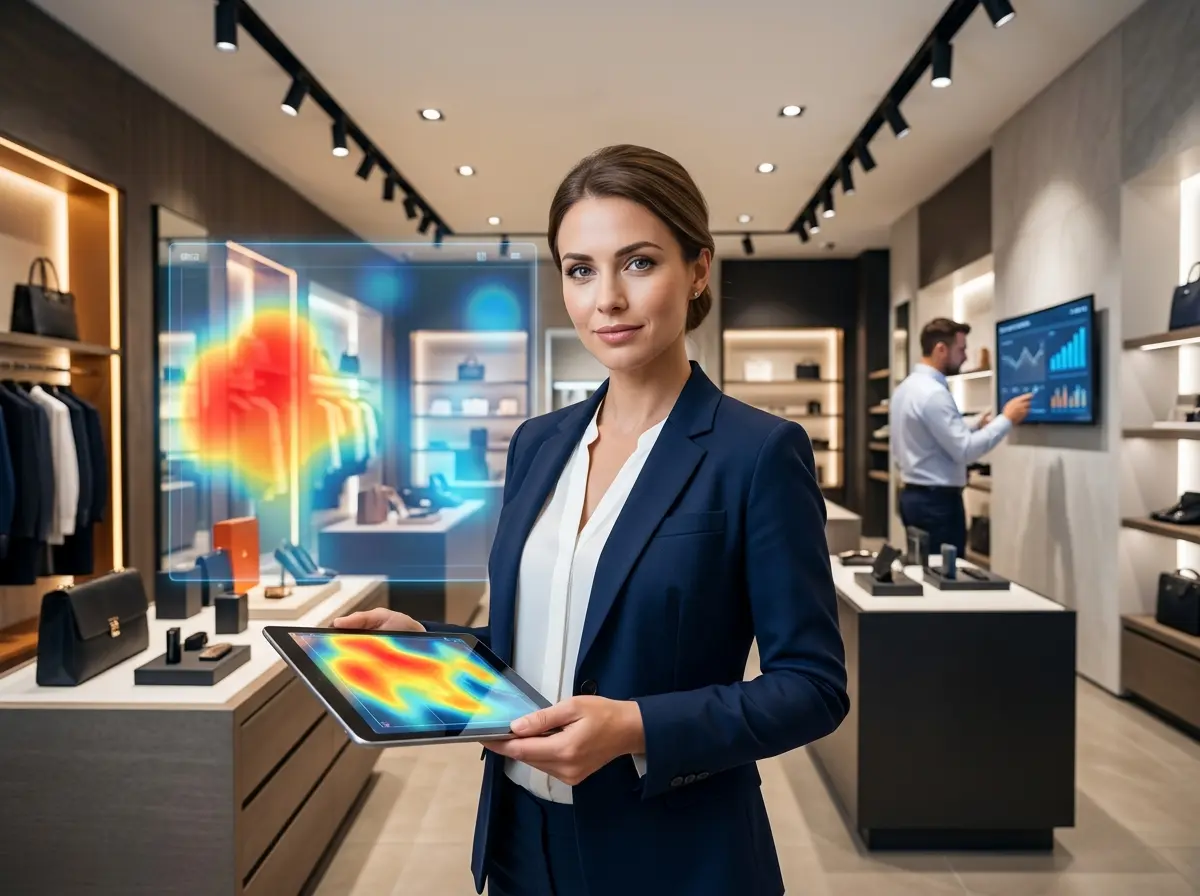
Here's the uncomfortable truth: most retail store layouts are designed on gut feeling, not data. And while intuition has its place, it's a pretty expensive way to run a physical space when customers are literally walking past your margins every single day. Enter heat-mapping technology — one of the most powerful (and underutilized) tools available to brick-and-mortar business owners who want to stop guessing and start optimizing.
Understanding Heat-Mapping Technology for Retail
What Is Heat Mapping, and How Does It Work?
What the Data Actually Tells You
- Dwell time: How long customers linger in a specific area. High dwell time near a product display is a good sign. High dwell time near the exit? Not so much.
- Path analysis: The typical routes customers take through your store. Most shoppers turn right when they enter — a well-documented retail phenomenon — so your right-side entrance zone is prime real estate.
- Conversion zones: Areas where browsing converts to buying. Comparing traffic against POS data reveals whether a high-traffic zone is actually generating sales or just serving as a scenic shortcut to the door.
- Dead zones: The areas customers consistently skip. These are often fixable with better signage, lighting, or product repositioning.
According to a study by the Journal of Retailing, optimizing store layout based on shopper behavior data can increase sales by 10–20% without adding a single new product or running a single promotion. That's not a small number.
Common Layout Mistakes Heat Maps Reveal
Turning Heat Map Insights Into Layout Changes That Actually Work
Prioritizing Your Highest-Impact Adjustments
Pairing Layout Optimization With Smarter In-Store Engagement
The Missing Layer: What Happens When Customers Actually Stop
Heat mapping tells you where customers go and how long they stay — but it doesn't tell you what happens during those moments of engagement. A customer who lingers at your skincare display for 45 seconds and then walks away empty-handed represents a missed opportunity that layout optimization alone can't fix. That's where your in-store engagement strategy becomes critical.
This is exactly where Stella — an AI robot employee and in-store kiosk — can make a real difference. Positioned strategically in your store (ideally informed by your heat map data, naturally), Stella proactively greets customers, answers product questions, highlights current promotions, and can upsell or cross-sell based on what a customer is looking at. She's essentially a tireless, knowledgeable sales associate who never checks her phone or calls in sick. And when customers aren't in the store, Stella keeps working — answering phone calls 24/7 with the same product knowledge she uses in person, so you never miss a lead just because it's 9 PM on a Sunday.
Practical Steps to Implement Heat Mapping in Your Store
Choosing the Right Heat-Mapping Solution
- Small businesses (under 2,000 sq ft): Entry-level solutions like Dor or Density offer door counters and basic traffic analytics starting around $50–$100/month. Not full heat mapping, but a solid starting point.
- Mid-size retail (2,000–10,000 sq ft): Platforms like RetailNext or Placer.ai offer richer spatial analytics with camera-based tracking and POS integration, typically in the $200–$500/month range depending on store size.
- Multi-location businesses: Enterprise platforms with centralized dashboards, cross-location benchmarking, and advanced predictive analytics. Custom pricing, but the ROI scales significantly.
Running Your First Heat Map Analysis
Once your system is installed, give it at least four weeks to collect baseline data before drawing any conclusions. Traffic patterns vary by day, time of day, season, and promotional activity, so a short data window can be misleading. When you're ready to analyze, focus on three questions: Where are customers going? Where are they not going? And where are they spending time without converting? The answers to those three questions will tell you more about your store layout than any interior design consultant ever could — and cost you considerably less.
Making Changes Without Disrupting Operations
A Quick Reminder About Stella
Speaking of working smarter in your physical space — Stella is an AI robot employee and phone receptionist built for businesses like yours. She stands in your store and engages customers proactively, answers questions, promotes specials, and handles upselling without any coaching or coffee breaks required. She also answers your phones 24/7 with full business knowledge, so your store keeps working long after the doors close. At $99/month with no upfront hardware costs, she's worth a look.
Your Next Steps: From Data to Dollars
- Audit your current layout instincts. Walk your store with fresh eyes and note where you think customers spend the most time. Then get the data and compare. You may be surprised.
- Research one heat-mapping vendor appropriate for your store size and request a demo or trial period.
- Identify your current dead zones and highest-margin products. This gives you a hypothesis to test once your system is live.
- Plan for the engagement layer. Layout gets customers to the right place — but engagement closes the sale. Whether that's staff training, better signage, or an AI kiosk, have a plan for what happens when a customer actually stops.