Introduction: Because Your Scissors Shouldn't Be the Only Sharp Thing in Your Business
Let's be honest — running a hair salon is an art form. Between managing stylists, keeping up with color trends, and somehow making every client feel like their haircut is a masterpiece, you've got enough on your plate. The last thing you need is a chaotic booking system that has clients double-booked on Saturday mornings or a no-show parade that leaves your stylists standing around doing nothing profitable.
According to industry data, salons lose an estimated 20–30% of potential revenue annually due to no-shows and last-minute cancellations — and that number gets worse when your booking process is clunky, confusing, or still happening entirely over the phone. In 2024 (and beyond), appointment scheduling software isn't a luxury. It's the backbone of a well-run salon.
But here's the thing: not all scheduling software is created equal, and choosing the wrong one can feel like getting a bad haircut — you're stuck with it for a while, and everyone notices. This guide will walk you through exactly what to look for, how to set it up properly, and how to get the most out of it so your salon runs like the polished, professional operation it deserves to be.
Choosing the Right Appointment Scheduling Software for Your Salon
The Features That Actually Matter (And the Ones That Don't)
When you start shopping for scheduling software, you'll quickly discover that every platform claims to be the "all-in-one solution" you've been dreaming of. Spoiler: they're not all equal. For a hair salon specifically, there are a handful of features that genuinely move the needle for your day-to-day operations.
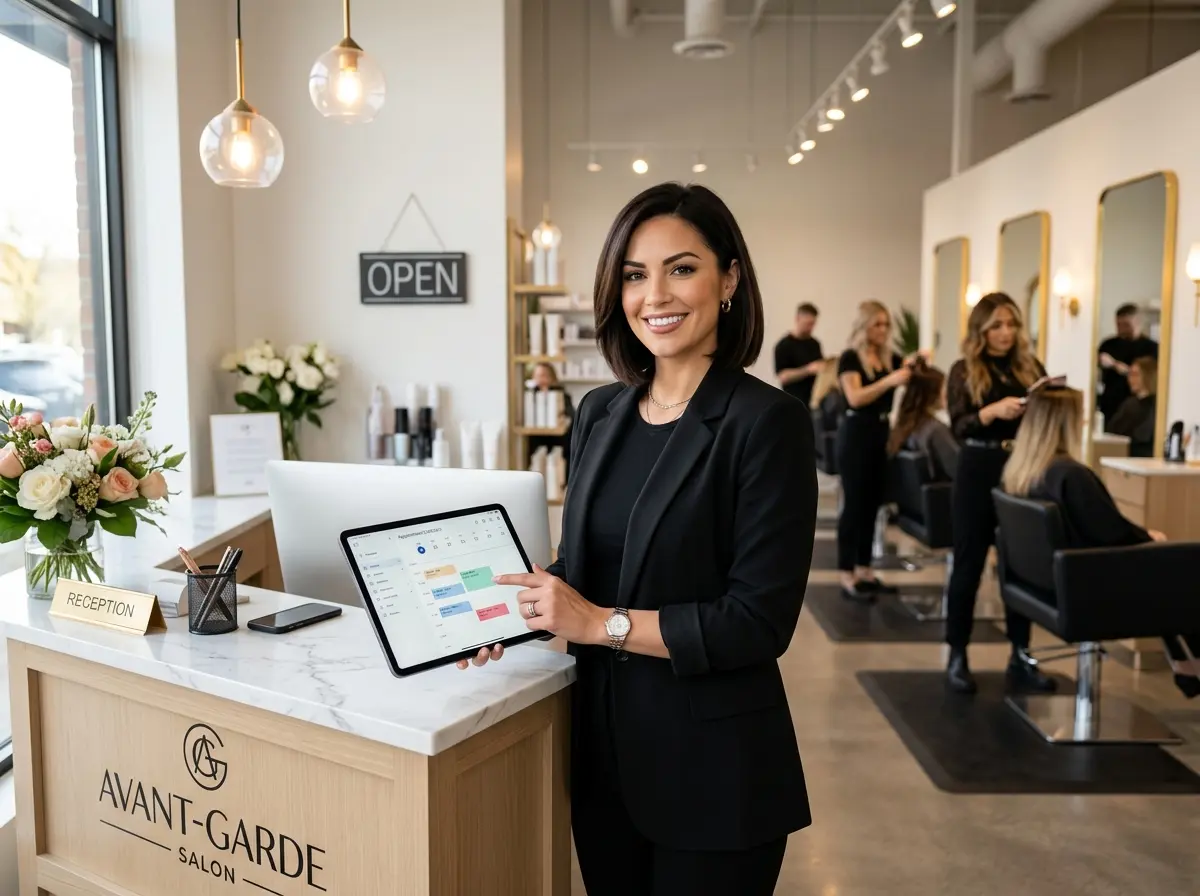
At minimum, your scheduling software should offer online self-booking so clients can schedule appointments at 11pm without calling you. It should support multiple staff calendars so your five stylists aren't fighting over one shared Google calendar like it's a clearance sale. You'll also want automated reminders via text or email — because a gentle nudge 24 hours before an appointment can slash your no-show rate dramatically. Throw in deposit or prepayment options, and suddenly those no-shows have a financial consequence attached to them.
Features you can safely deprioritize early on? Overly complex loyalty point systems, elaborate marketing automation suites, and anything requiring a dedicated IT person to configure. Keep it simple until your team is fully comfortable with the basics.
Popular Platforms Worth Considering
A few platforms have earned solid reputations specifically in the salon and beauty industry. Vagaro, Square Appointments, Fresha, and Booksy are all worth evaluating. Each has its strengths — Vagaro is feature-rich and well-suited for growing salons, Fresha is free at its base tier (yes, really), and Square Appointments integrates beautifully with Square's payment ecosystem if you're already in that world.
When comparing options, run through this quick checklist before committing:
- Does it integrate with your existing payment processor?
- Can clients rebook without creating an account from scratch every time?
- Is the mobile experience clean — for both you and your clients?
- Does it support service-specific booking durations (a trim is not a balayage, after all)?
- What does the reporting dashboard actually show you?
Most platforms offer free trials. Use them. Don't commit to an annual plan based on a demo video alone — your staff will thank you.
Pricing Models and Hidden Costs
Scheduling software pricing ranges from genuinely free to surprisingly expensive once you add up the per-transaction fees, SMS reminder charges, and premium feature unlocks. Fresha, for instance, charges no monthly subscription but takes a small percentage on new client bookings. Square Appointments charges per location after your first chair. Vagaro's monthly fee increases with the number of stylists on your team.
The takeaway? Calculate your total cost of ownership, not just the sticker price. Factor in your average monthly bookings, number of staff, and which premium features you'll actually use. A $30/month plan with per-SMS fees can easily outpace a $70/month plan with unlimited notifications if your salon is busy. Do the math before you sign anything.
Keeping Your Front Desk Running Smoothly Alongside Your Software
When Software Isn't Enough on Its Own
Even the best scheduling software won't answer the phone at 8am when your front desk person hasn't arrived yet, or field the same three questions about parking, pricing, and whether you take walk-ins — for the fifteenth time this week. That's where a little extra help goes a long way.
Stella is an AI robot employee and phone receptionist that works alongside your scheduling software to handle the human-touch moments your software simply can't. Inside your salon, Stella stands as a friendly, human-sized kiosk that greets walk-ins, answers questions about services and pricing, and promotes any current specials — without pulling your stylists away from clients mid-blowout. On the phone, she answers calls 24/7, fields common questions, and can even collect client information through conversational intake forms before the appointment ever hits your calendar. Her built-in CRM keeps client profiles organized with custom tags and AI-generated summaries, so your team always has context before a client walks through the door. At just $99/month with no hardware costs, Stella is the receptionist who never calls in sick and never needs a coffee break.
Setting Up and Getting the Most Out of Your Scheduling System
Setting It Up Correctly From Day One
A scheduling system is only as good as the information you put into it. Before you flip the switch and start taking bookings, invest an hour or two in setting things up properly — it will save you dozens of headaches down the road.
Start with your service menu. Be specific. "Women's Cut" should have a realistic duration attached to it. "Balayage + Toner + Style" should be blocked for the appropriate amount of time — not the optimistic amount of time. Underestimating service duration leads to late clients, stressed stylists, and a cascading disaster of a schedule by 2pm. Also set up your buffer times between appointments for cleanup and setup, especially for color services.
Next, configure your automated reminders. A reminder 48 hours out and a follow-up 24 hours before the appointment is a proven combination for reducing no-shows. Add a friendly but firm cancellation policy message to those reminders — something like "We kindly ask for 24 hours notice for cancellations" goes a long way when paired with a deposit requirement.
Training Your Team (Without the Eye Rolls)
Introducing new software to a team of stylists who are already juggling clients, color timers, and retail recommendations requires some finesse. The key is to make the transition feel like an upgrade — not a homework assignment.
Start with a short, focused demo session during a slow period. Show your team only what they need to know on day one: how to view their schedule, how to check in a client, and how to mark an appointment as complete. Save the advanced reporting features for later. Identify one enthusiastic team member to be your internal "champion" — someone who learns the system deeply and becomes the go-to resource when questions come up. Peer-to-peer learning is almost always more effective than top-down mandates, especially in a creative environment like a salon.
Using Data to Actually Grow Your Business
Once your scheduling software has been running for a few months, you'll have access to something genuinely valuable: data. Most platforms offer reporting on your busiest booking times, most popular services, top-performing stylists, and client retention rates. This isn't just interesting — it's actionable.
If your data shows that Tuesday afternoons are consistently slow, that's your cue to run a targeted promotion or offer a slight discount for off-peak bookings. If a particular stylist has a dramatically higher rebooking rate than the rest of your team, find out what they're doing and replicate it across the board. If your balayage services are booked out two weeks in advance but your gloss treatments have open slots every week, that's a marketing opportunity sitting right in front of you. Good scheduling software pays for itself — but only if you actually look at the data it generates.
Quick Reminder About Stella
Stella is an AI robot employee and phone receptionist built for businesses exactly like yours — greeting clients in-store, answering calls around the clock, and keeping your front-of-house running professionally without adding to your payroll. She works beautifully alongside your scheduling software to handle the questions, calls, and conversations that fall outside what your booking system can manage. At $99/month with no setup fees and no hardware costs, she's worth a serious look.
Conclusion: Your Next Steps Toward a Better-Booked Salon
The good news is that getting your salon's appointment scheduling under control is entirely achievable — and faster than you might think. Here's a simple action plan to get started:
- Audit your current booking pain points. Are no-shows killing your revenue? Is double-booking a recurring nightmare? Is your front desk fielding too many repetitive phone calls? Identify your top two or three problems before you shop for solutions.
- Trial at least two platforms. Don't rely on reviews alone — run free trials of your top contenders with real appointments and real staff before committing.
- Set up your system properly. Accurate service durations, buffer times, automated reminders, and a clear cancellation policy are non-negotiable from day one.
- Train your team intentionally. Keep initial training focused and manageable. Expand to advanced features once the basics are second nature.
- Review your data monthly. Let your booking reports guide your promotions, staffing decisions, and service offerings.
Your salon's booking experience is often the first impression a new client gets of your business. Make it smooth, make it professional, and for goodness' sake — stop losing revenue to chaos that software (and a little AI backup) can absolutely solve. You've got great work happening inside your salon. Make sure the systems around it are just as sharp.