Walking Into a Maze vs. Walking Into a Store
Picture this: a perfectly normal person — let's call her Karen — walks into an electronics store. She needs a new laptop. Simple enough, right? Within thirty seconds, she's surrounded by walls of spec sheets, aggressive blue lighting, and a salesperson who just used the word "teraflop" without irony. Karen leaves. Karen buys her laptop online. Karen never comes back.
Sound familiar? If you own or manage an electronics store, you may be hemorrhaging a significant portion of your potential customer base simply because your store feels more like a NASA control room than a welcoming retail environment. And here's the uncomfortable truth: tech novices represent a massive, underserved market. According to the Consumer Technology Association, over 60% of consumer electronics purchases are made by people who don't consider themselves tech-savvy. That's a lot of Karens walking out the door.
The good news? Redesigning your store experience for the tech novice doesn't mean dumbing anything down. It means being smarter about how you present what you already have. This post will walk you through practical, actionable steps to transform your electronics store from intimidating to genuinely inviting — and maybe even enjoyable.
Physical Layout and Visual Communication
Before a single word is spoken, your store's physical environment is already having a very loud conversation with your customers. The question is: what is it saying?
Organize by Use Case, Not by Product Category
Most electronics stores organize products the way manufacturers think about them. Customers, however, don't think that way. Nobody walks in thinking, "I need a 1080p 60Hz IPS panel display." They walk in thinking, "I want to watch movies in my bedroom" or "I need something for my kid's schoolwork."
Consider reorganizing sections around lifestyle scenarios: Work From Home, Gaming Setup, Family Entertainment, Smart Home Starter. This simple reframing does two things beautifully — it helps novices immediately find what's relevant to them, and it naturally opens the door to bundled upsells. Someone browsing the "Work From Home" section is already primed to consider a monitor, keyboard, webcam, and router as a cohesive package rather than four separate, unrelated purchases.
Signage That Actually Communicates
Your signage should pass what we'll call the "Mom Test" — if your mother (or a reasonably intelligent person with no tech background) can read a sign and understand what a product does and why they might want it, you've written good signage. If the sign says "256GB NVMe SSD Storage" and nothing else, you've written a very expensive riddle.
Great retail signage for tech novices translates specs into benefits. "256GB Storage — Holds about 50,000 photos or 30 hours of HD video" is infinitely more useful. Pair plain-language benefit statements with your technical specs rather than replacing them — your enthusiast customers still want the numbers, and your novice customers now have a reason to care about them. Small shelf-talker cards with "Great for:" bullet points go a long way toward building customer confidence before a salesperson even enters the picture.
Create Approachable Demo Zones
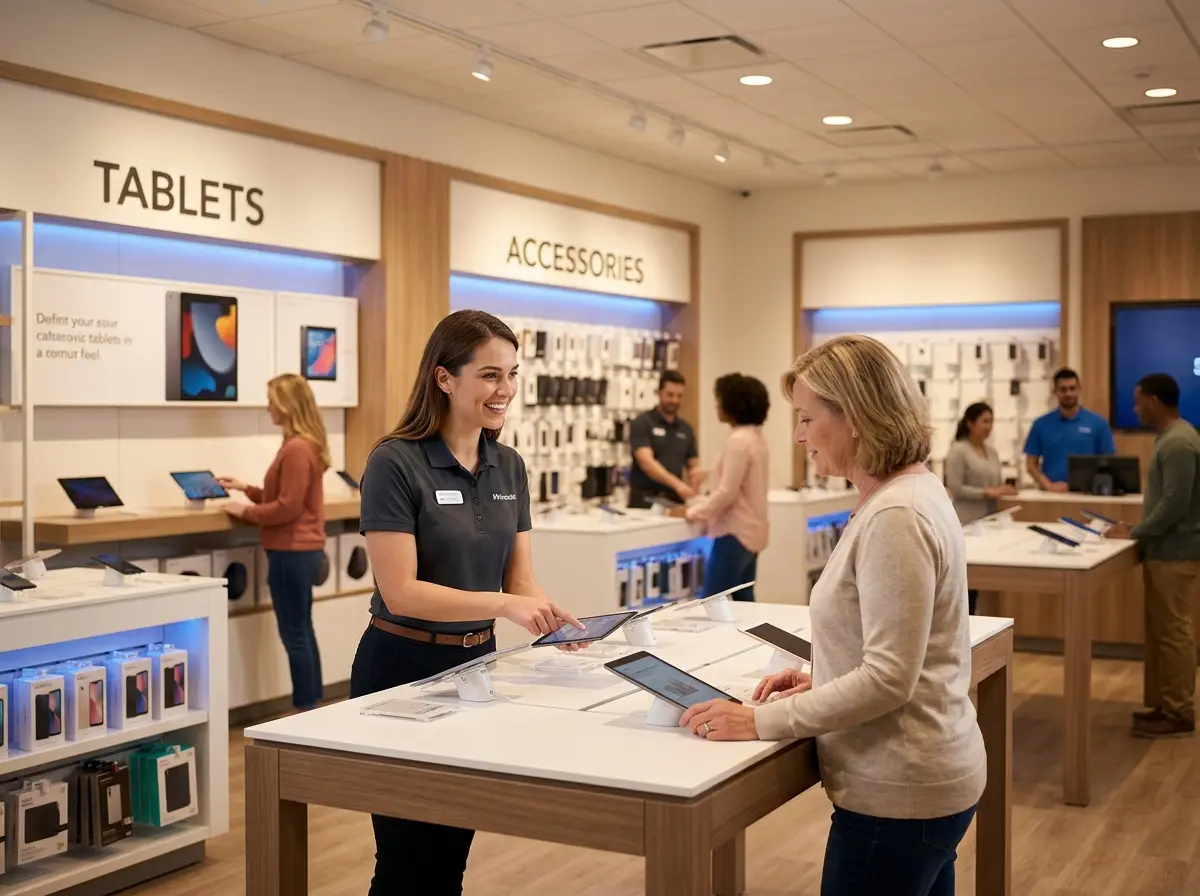
People learn by touching things. If your demo units are roped off, turned off, or guarded by a salesperson who materializes the moment anyone reaches out a hand, you're creating anxiety instead of excitement. Open, hands-on demo zones — clearly labeled with guided "try this" prompts — allow customers to explore at their own pace. A small placard that says "Pick me up! Try the camera" beside a smartphone on an open display does more selling than a five-minute pitch.
Staffing and the Art of the Non-Intimidating Greeting
Train for Empathy, Not Just Expertise
Your best salespeople aren't necessarily your most technically knowledgeable ones — they're the ones who can read a customer's comfort level and adjust accordingly. Train your staff to lead with questions rather than information dumps. "What are you hoping to use it for?" is a far better opener than "Are you looking at 5G-capable devices?" One invites a conversation; the other invites an exit.
Role-play scenarios during staff training specifically focused on tech novices. The goal isn't to make staff pretend they don't know things — it's to teach them to translate what they know into language that builds customer confidence rather than customer shame. A customer who feels smart while shopping with you is a customer who comes back.
Technology That Welcomes Customers Before Your Staff Can
Here's where things get genuinely interesting — and where a little strategic investment pays dividends far beyond what an extra staff member could offer.
Let an AI Employee Do the First Impression
First impressions in retail happen fast, and if your staff is busy or your store is understaffed (as most are), nervous tech novices can go unacknowledged long enough to talk themselves out of a purchase. This is where Stella, an AI robot employee and phone receptionist, earns her keep.
Stella stands in your store as a friendly, human-sized AI kiosk and greets every person who walks by — proactively, warmly, and without any of the awkwardness that sometimes comes with a commission-driven sales floor. She can answer plain-language questions about products, explain current promotions, and guide customers toward the right section for their needs. For the tech novice who's too embarrassed to ask a human "what's the difference between a Chromebook and a regular laptop," asking a robot feels surprisingly comfortable — and frankly, a little fun.
Beyond the floor, Stella also answers your store's phone calls 24/7, which means the customer who Googled your hours at 9 PM on a Sunday and decided to call actually gets a helpful, knowledgeable answer rather than a voicemail. At just $99/month with no upfront hardware costs, she's the most reliable team member you'll ever hire — no sick days, no bad moods, no forgetting the current promotion.
The In-Store Journey from Curious to Confident
Getting customers through the door is only half the battle. The real magic happens when a tech novice moves from "I'm just looking" to "I'll take it" — and that journey requires deliberate design.
Build a Gentle On-Ramp with Educational Content
Small laminated "Beginner's Guides" near product categories, QR codes linking to short explainer videos, or even a simple digital screen cycling through "What to Know Before You Buy" tips all serve as low-pressure educational touchpoints. These resources respect the customer's intelligence while acknowledging that not everyone has spent the last decade reading tech forums. The goal is to shrink the knowledge gap just enough that a purchase decision feels achievable.
Some stores have had great success with brief, free in-store workshops — a Saturday morning "Smartphone Basics" session, for example — that build community goodwill and foot traffic simultaneously. People who learn something in your store associate your brand with expertise and approachability. That combination is rare and valuable.
Reduce Friction at the Decision Point
Tech novices frequently stall out at the final decision because they're afraid of making the wrong choice. Counter this with strong return policies communicated clearly and early, comparison cards that honestly lay out trade-offs in plain language, and staff trained to validate rather than push. Phrases like "That's actually a great choice for what you need" cost nothing and close sales.
Bundling can also reduce decision fatigue. A "Laptop Starter Pack" that includes the laptop, a protective sleeve, a wireless mouse, and a setup service removes the anxiety of figuring out what else you need. It also, not coincidentally, increases average transaction value. Everybody wins.
Follow Up Like You Mean It
The post-purchase experience is where loyalty is built or lost. A follow-up email or text two days after purchase — "How's your new laptop treating you? Here are three tips to get started" — does more for customer retention than any loyalty punch card ever invented. It signals that you're invested in the customer's success, not just their wallet. And a customer who succeeds with a product they bought from you is a customer who tells their friends where they got it.
A Quick Reminder About Stella
Stella is an AI robot employee and phone receptionist designed for businesses exactly like yours. She greets customers in-store, promotes your deals, answers product questions, and handles phone calls around the clock — all for $99/month with no hardware costs required. Whether your busiest hour is noon on a Saturday or 11 PM on a Tuesday, she's on the floor and on the phone, ready to represent your business with warmth and professionalism.
Making the Intimidating Store a Thing of the Past
The electronics store that wins the next decade won't necessarily be the one with the most products or the lowest prices. It'll be the one that made Karen feel smart, welcomed, and confident enough to come back — and bring her friends. That store is absolutely achievable, and you don't need a full renovation budget to get there.
Start with what you can control today:
- Walk your store as if you've never seen a spec sheet in your life. What's confusing? What's unwelcoming? Fix those things first.
- Audit your signage for jargon and translate at least three key product signs into benefit-focused language this week.
- Have one honest conversation with your staff about how they approach nervous or uninformed customers — and make empathy a training priority.
- Explore tools like Stella to ensure no customer — in-store or on the phone — ever goes unacknowledged.
The tech novice isn't a problem to be tolerated. They're an opportunity waiting for someone patient enough to take it. Be that store. Karen will thank you.