Your Menu Is Talking — But Is It Saying the Right Things?
Let's be honest: most quick-service restaurant menus are doing the bare minimum. They list the food, show a price, maybe throw in a glossy photo, and call it a day. Meanwhile, your customers are standing at the counter, staring blankly at a screen, and somehow still walking out without the large combo upgrade you just know they would have loved.
Here's the thing — your digital menu board is some of the most valuable real estate in your entire restaurant. Every second a customer spends looking at it is a second you could be using to guide their decision, build their order, and yes, increase your average ticket size. Upselling isn't pushy when it's done right; it's actually helpful. Nobody's upset when they find out the cheese sauce pairs perfectly with the fries they already ordered.
Digital menu boards give you a dynamic, flexible tool to do exactly that — if you know how to use them strategically. This post breaks down exactly how to turn your menu display from a passive price list into an active sales machine.
Designing Your Digital Menu Board for Maximum Upsell Impact
Before you start scheduling promotions and crafting upsell messages, the foundation has to be right. A poorly designed board — cluttered, confusing, or visually overwhelming — will undo every smart upsell strategy you layer on top of it. Customers make food decisions fast. You have roughly the time it takes someone to decide whether to check their phone while waiting in line. Design accordingly.
Use Visual Hierarchy to Direct Attention
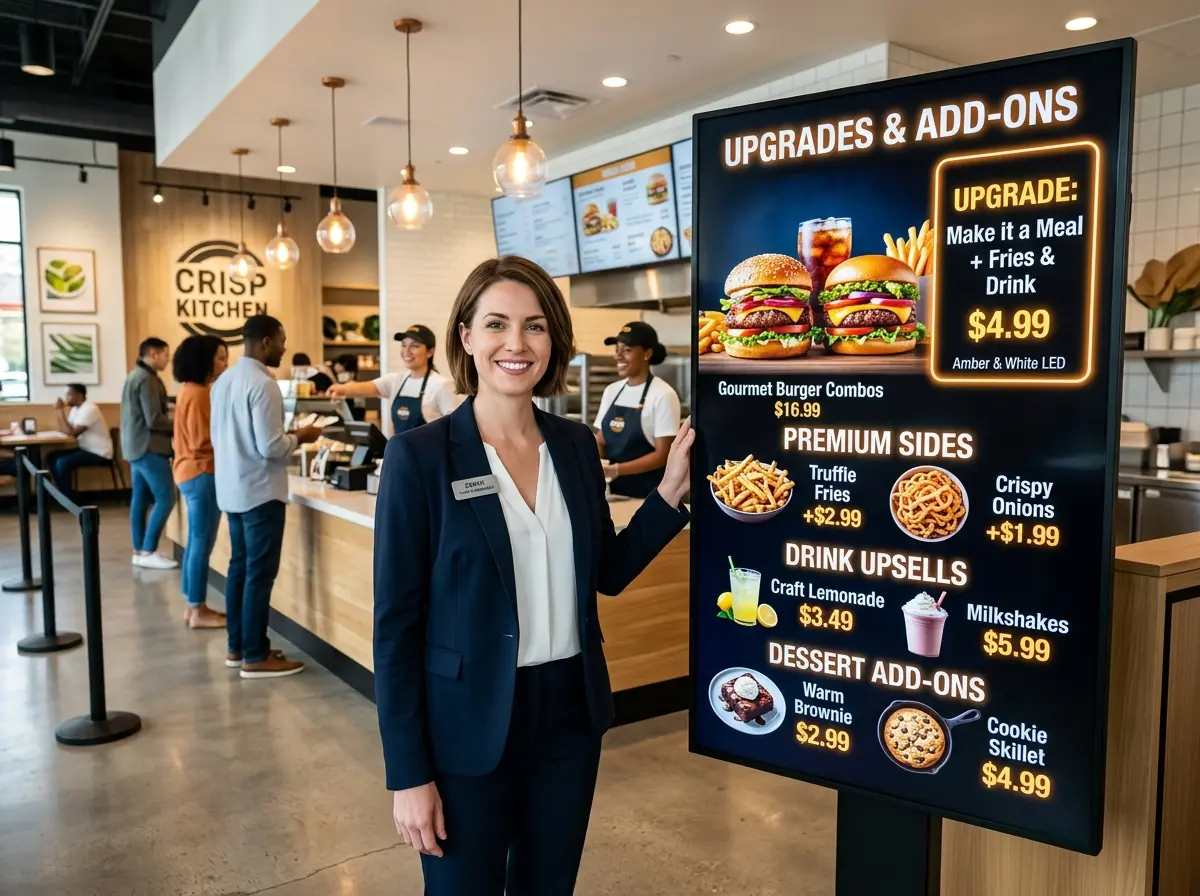
Not everything on your menu deserves equal attention, so stop designing like it does. Use size, color contrast, placement, and imagery strategically. Your highest-margin items and upsell targets should command the most visual space. Place combo upgrades and premium add-ons near the top or in a dedicated spotlight zone — research consistently shows that customers gravitate toward items placed at eye level and in the upper-right portion of a display.
Use warm colors like red, orange, and yellow for featured items (there's a reason every fast food brand on earth leans into them — they stimulate appetite and urgency). High-quality photos increase perceived value and have been shown to increase item sales by up to 30% in some QSR studies. If your menu board is showing a sad, blurry photo of a burger that looks like it was photographed in 2009, that's your first problem to fix.
Keep It Clean and Scannable
Resist the urge to put everything on the board at once. Information overload causes decision paralysis, which causes customers to default to whatever they already know — and that's the enemy of upselling. Simplify your layout by grouping items logically, limiting the number of featured promotions visible at any one time, and using whitespace generously. A focused, uncluttered board naturally draws the eye to whatever you choose to highlight.
Feature Limited-Time Offers Prominently
Scarcity and urgency are among the most effective psychological drivers in consumer behavior. A "Today Only" or "Limited Time" badge on a premium item or combo does real work. It signals that this isn't just an upsell — it's an opportunity. Rotate these offers seasonally or weekly to keep returning customers engaged and give them a reason to try something new each visit.
Smart Upsell Strategies That Actually Work at the Counter
Great design gets attention. Smart strategy converts that attention into revenue. These are the upsell tactics that translate well to the digital menu board format — without feeling aggressive or out of place.
Leverage Suggestive Pairings and Combos
The single most effective upsell in quick service is the combo. Customers already expect it. What many restaurants miss, though, is why the customer should upgrade — and the menu board is the perfect place to explain it. Instead of just showing "Add a drink — $1.99," show them the full combo with a compelling image and a message like "Complete Your Meal — Save $2". Frame the upsell as a win, not an add-on.
Pairing suggestions also perform extremely well. If someone's ordering a spicy sandwich, your board can simultaneously display a "Pairs perfectly with our Cool Ranch Dip" callout. These aren't accidents — they're deliberate, engineered moments of suggestion timed to the customer's decision-making window.
Use Time-Based Content to Match Customer Intent
One of the most underutilized features of digital menu boards is dynamic, time-based content scheduling. Your breakfast crowd and your dinner crowd are completely different people with completely different intentions. Your board should reflect that. Schedule your morning board to push premium coffee upgrades, breakfast combos, and loyalty program sign-ups. In the afternoon and evening, shift to showcasing family meal deals, dessert add-ons, or your highest-margin entrées.
Time-triggered upsells feel contextually relevant rather than random, and relevant suggestions convert at significantly higher rates. Many digital menu board platforms — including industry staples like ScreenCloud, Yodeck, and Samsung MagicINFO — offer scheduling features that make this straightforward to implement.
How Technology Like Stella Can Amplify Your Upsell Efforts
Digital menu boards are powerful, but they're still a one-way communication tool. They push information — they can't ask questions, respond to hesitation, or read the room. That's where combining your board strategy with smarter in-store technology makes a real difference.
Stella, the AI robot employee and phone receptionist, is built to bridge exactly that gap. As a human-sized AI kiosk that stands inside your restaurant, Stella actively engages customers — greeting them, answering questions about menu items, highlighting current deals, and recommending upgrades or add-ons through natural conversation. Where your digital board suggests, Stella reinforces. Where a customer hesitates, Stella can step in with a timely recommendation that feels helpful rather than automated.
Stella also handles phone calls 24/7 with the same product knowledge she uses in person — meaning a customer calling ahead to ask about your lunch specials gets the same upsell conversation your best counter staff would deliver, without pulling anyone away from the line. For QSR owners managing lean teams, that kind of consistent, professional coverage is genuinely hard to put a price on (though at $99/month, someone already did).
Measuring What's Working and Optimizing Over Time
Running upsell campaigns on your digital menu boards without tracking results is a bit like seasoning food with your eyes closed — you might get lucky, but you're mostly just guessing. The good news is that most modern digital signage platforms give you the tools to test, measure, and iterate.
Track Average Ticket Size as Your North Star Metric
The clearest signal that your upsell strategy is working is a rising average ticket size. Pull this number weekly, and compare it against the periods when you ran specific promotions or featured specific combos. If a particular upsell campaign ran for two weeks and your average ticket climbed by $0.75 per order during that window, that's meaningful data — especially when you multiply it across hundreds of transactions a day.
Cross-reference this with your POS data to identify which specific items saw increased attachment rates during promotional periods. This tells you not just that an upsell worked, but which upsell worked — so you can double down on what's effective and retire what isn't.
A/B Test Your Visual Approaches
If your digital board platform supports content scheduling and zoning, use that capability to run simple A/B tests. Try two different ways of presenting the same upsell — one as a photo-forward feature callout, one as a text-based limited-time offer — and see which version correlates with stronger sales of that item. Over time, these small experiments compound into a significantly more effective board strategy.
Listen to Your Staff and Your Customers
Data tells you what happened. Your staff can often tell you why. If your counter team is regularly hearing "Oh, I didn't know you had that" in response to items prominently featured on your board, something in the design isn't landing. Make feedback loops between floor staff and whoever manages your digital content a regular habit, not an afterthought. Customer comments — whether collected casually at the counter or through structured feedback tools — are an underrated source of optimization insight.
A Quick Reminder About Stella
Stella is an AI robot employee and phone receptionist designed to help business owners — including QSR operators — deliver consistent, professional customer engagement without the overhead. She stands in your store, actively promotes your offers, answers questions, and upsells naturally through conversation. She also answers every phone call your restaurant receives, 24 hours a day, with no hold music and no missed opportunities. At $99/month with no upfront hardware costs, she's the team member who never calls in sick and never forgets to mention the daily special.
Conclusion: Turn Your Screens Into Your Best Sales Tool
Your digital menu boards are already running. The question is whether they're working as hard as they could be. By combining smart visual design, strategic upsell placement, time-based content scheduling, and consistent measurement, you can meaningfully increase your average ticket size — without hiring additional staff, without reprinting anything, and without annoying your customers into ordering the bare minimum just to escape the experience.
Here's your actionable next steps list to get started:
- Audit your current board design — identify your highest-margin items and confirm they're getting prominent placement and strong visual treatment.
- Set up time-based scheduling — tailor your upsell messaging to match the intent of your morning, afternoon, and evening customer segments.
- Define two or three core upsell moments per ordering occasion (combo upgrade, side add-on, dessert or drink suggestion) and build your board content around them.
- Establish a baseline average ticket metric and commit to reviewing it weekly against your content calendar.
- Consider adding conversational upsell support through an in-store tool like Stella to reinforce your board messaging in real time.
The menu board that's been hanging in your restaurant since you opened isn't just a display — it's a conversation you're having with every customer who walks in. Make sure it's saying something worth hearing.