Introduction: The Little Square That Could
Remember when QR codes were the future? Then they were embarrassing? Then they were forgotten? Then a global pandemic basically made them mandatory overnight? Yes, the humble QR code has had quite the character arc — and at this point, it deserves a little respect. If you're still treating QR codes as an afterthought slapped on a flyer at the last minute, you're leaving serious money on the table.
Here's the thing: for businesses that operate both in the physical world and the digital one, the gap between those two experiences is where customers fall through the cracks. Someone walks into your store, has a great time, and then... nothing. No follow-up, no connection, no reason to come back online or engage further. That's a missed opportunity wearing a very expensive disguise.
QR codes, when used strategically, are one of the simplest and most cost-effective tools to bridge that gap. They don't require an app, a massive budget, or a computer science degree. They just require a little creativity and a clear understanding of what you want your customer to do next. Let's talk about five ways to make these pixelated squares actually work for your business.
Getting the Fundamentals Right Before You Scan Ahead
Choose Dynamic QR Codes (Not Static Ones)
Before you start plastering QR codes everywhere, there's one foundational decision you need to make: use dynamic QR codes, not static ones. Static QR codes are hardcoded — once printed, the destination URL is locked in forever. Change your landing page? Tough luck. Your printed materials are now digital dead ends.
Dynamic QR codes, on the other hand, let you update the destination URL anytime without reprinting anything. Services like QR Code Generator, Beaconstac, or Bitly offer dynamic QR codes with tracking analytics. Speaking of analytics — this is non-negotiable. You need to know how many people are scanning, when, and from where. Without data, you're just decorating your store with tiny mazes.
Design Them to Be Scanned (Not Ignored)
A QR code that blends into the background is as useful as a sign nobody reads. Put a clear call-to-action near every QR code — something specific like "Scan to see today's specials" or "Scan to book your appointment online" performs dramatically better than a lonely square floating in white space. According to research from Statista, over 89 million smartphone users in the U.S. scanned a QR code in 2022, up from 83 million the year before. That number continues to grow — so the audience is there. Your job is to give them a reason to point their camera.
Consider size, placement, and contrast. A QR code on a dark background with no label, placed at knee height on the back of a shelf, will have roughly the same conversion rate as a whispered secret in a loud restaurant. Make them visible, label them clearly, and put them where eyes naturally land.
Upgrade Your In-Store Experience With Smart Technology
Let Technology Handle the Repetitive Stuff
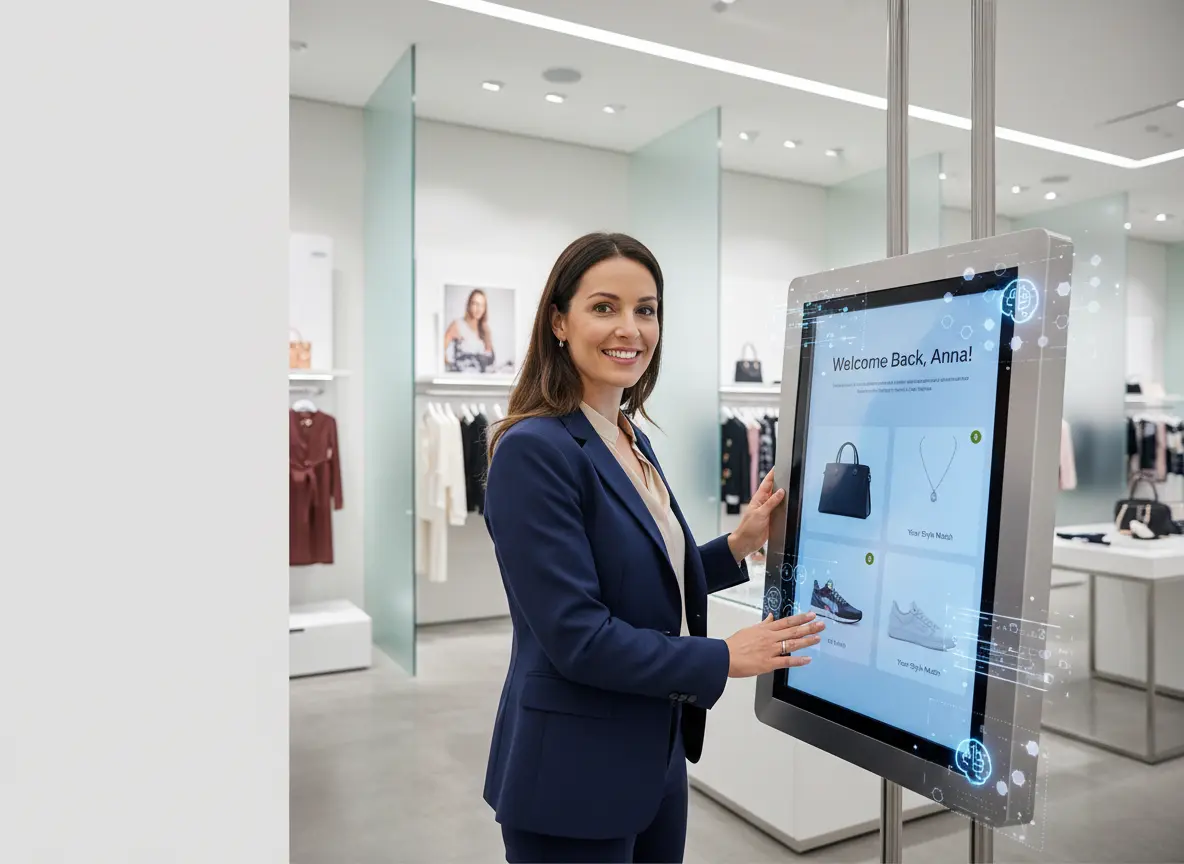
Here's where QR codes get interesting in the context of your broader in-store strategy. A QR code can answer the question — but only if there's something worth scanning to. That's where Stella, the AI robot employee and phone receptionist, fits naturally into the picture. Imagine a QR code posted near your entrance that says "Have a question? Ask Stella!" — customers scan it and are immediately connected to a conversational AI that knows your products, services, hours, and current promotions inside and out.
Beyond the kiosk interaction inside your store, Stella also answers your phone calls around the clock with the same deep business knowledge she uses in person. So whether a customer scans a QR code on their way out to learn more, or calls your number at 10 PM with a question, they get a consistent, knowledgeable, professional response every time. At $99/month with no upfront hardware costs, it's a surprisingly affordable upgrade to both your physical and digital presence — and one that works across retail, restaurants, salons, medical offices, gyms, and more.
Five Ways to Actually Use QR Codes to Bridge Your Stores
1. Drive In-Store Shoppers to Your Online Reviews and Social Pages
Word of mouth used to mean something a neighbor said over a fence. Now it means a Google review with three paragraphs and a star rating. The problem? Most happy customers never leave a review — not because they don't want to, but because they forget the moment they leave. A QR code near your checkout counter or on your receipt that says "Loved your visit? Leave us a review!" removes all friction from the process. Link it directly to your Google Business Profile review page or your Yelp listing. Even a 10% conversion rate from satisfied customers can meaningfully shift your average rating over a few months.
2. Connect Physical Signage to Online Menus, Catalogs, or Booking Pages
Printed menus get outdated. Product catalogs go stale. And nobody wants to reprint 500 laminated menus because you added a new seasonal item. A QR code linked to your live digital menu or product catalog solves this elegantly and cheaply. Restaurants are already doing this at scale — but it works just as well for spas linking to their service menu, auto shops linking to their pricing guide, or boutiques linking to their full online inventory. Pair it with an online booking link and you've turned a piece of signage into a 24/7 sales tool.
3. Capture Customer Information and Build Your Email List
Your customer is standing in your store, having a great experience. That is the single best moment to ask them to join your email list or loyalty program — and a QR code makes the ask feel effortless rather than pushy. Link to a simple, mobile-optimized sign-up form and offer something in return: a discount on their next purchase, early access to sales, or a freebie. According to Mailchimp benchmarks, email marketing delivers an average ROI of $36 for every $1 spent. Getting that in-store customer into your digital ecosystem is one of the highest-leverage moves you can make.
4. Promote Time-Sensitive Deals and Seasonal Offers
This is where dynamic QR codes really shine. Because you can update the destination URL without reprinting, you can put a single QR code on a permanent sign or window display and update it to reflect whatever your current promotion is — a weekend flash sale, a holiday bundle, a limited-time service package. The sign stays the same; the offer changes. Customers who've scanned before may scan again out of habit or curiosity, and they'll always get current, relevant information. It's like having a promotion that refreshes itself on autopilot.
5. Bridge the Post-Purchase Gap With Follow-Up Content
The sale doesn't have to be the end of the conversation. A QR code on your packaging, receipt, or shopping bag can link customers to helpful post-purchase content: how-to videos, care instructions, recipe ideas, complementary product recommendations, or a loyalty rewards portal. This keeps your brand in front of customers after they've left, adds genuine value to the purchase experience, and creates natural opportunities to drive repeat business. It's the digital equivalent of the thoughtful follow-up — except it works at scale without requiring any additional staff time.
Quick Reminder About Stella
Stella is a friendly, human-sized AI robot kiosk and phone receptionist built for businesses of all kinds — whether you're running a bustling retail store, a busy medical office, or a solo service operation. She greets customers in person, promotes your current deals, answers questions about your products and services, and handles phone calls 24/7 with professionalism and personality. At just $99/month with no upfront hardware costs and an easy setup, she's the reliable, always-on team member that never calls in sick.
Conclusion: Start Small, Think Big, Scan Often
The beauty of QR codes is that they're low-cost, low-risk, and highly measurable. You don't need to implement all five strategies at once. Start with the one that addresses your biggest gap — maybe it's reviews, maybe it's your email list, maybe it's keeping your menu current without reprinting costs. Pick one, set it up properly with a dynamic QR code and tracking enabled, and measure what happens over 30 days.
Here are your actionable next steps:
- Sign up for a dynamic QR code platform (Bitly, Beaconstac, or QR Code Generator are solid starting points).
- Identify your biggest gap between your physical and digital customer experience.
- Create one QR code campaign with a clear call-to-action and a destination that's mobile-optimized.
- Place it where customers naturally look — near checkout, on tables, in fitting rooms, on packaging.
- Review your scan analytics after 30 days and iterate from there.
The physical and digital worlds don't have to operate like strangers at a party. With a little strategy and a few well-placed QR codes, you can turn every in-store interaction into an ongoing digital relationship — and that's where the real long-term value lives. Now go forth and make those little squares work for you.