When You're the Lawyer, the Receptionist, and the Person Who Forgot to Call That Client Back
Let's paint a picture. You're a solo attorney. You're in the middle of drafting a contract that could make or break your client's business deal. Your phone rings. Then it rings again. Then someone leaves a voicemail you won't hear until 9 PM. By the time you resurface from that contract, three potential clients have already moved on to the attorney down the street — the one who, let's be honest, probably isn't even better than you. They just answered the phone.
This is the unglamorous reality of running a solo law practice. You didn't go to law school to become a full-time administrative assistant, and yet, here we are. The intake forms, the scheduling calls, the follow-up emails, the "just checking in" texts — it's a second job inside your already demanding first job.
The good news? Artificial intelligence has gotten remarkably good at handling exactly this kind of operational chaos. Solo attorneys across the country are quietly automating the parts of their practice that were quietly eating them alive. Let's talk about how — and why you should seriously consider doing the same.
The Hidden Cost of Doing Everything Yourself
The Revenue You're Losing to Missed Calls
Here's a stat worth sitting with: according to research from the legal industry, roughly 42% of calls to law firms go unanswered. For a solo attorney, that number is probably worse. And when a potential client doesn't reach you, they don't wait. Studies consistently show that most consumers move on within minutes of not getting a response. In a world where your competitor is one Google search away, "I'll call them back later" is a business strategy that quietly bleeds money.
The math is straightforward. If even one missed call per week represents a case worth $2,000, that's potentially over $100,000 in annual revenue walking out the door — not because you're not good enough, but because you were busy being good at your actual job when the phone rang.
Intake Is More Than a Formality
Client intake in a law firm isn't just paperwork — it's the first impression, the qualification process, and the foundation of your case management all rolled into one conversation. When it's done poorly (or not at all, because you got busy), it creates ripple effects: cases you weren't equipped to handle, client expectations that were never set properly, and billing disputes that stem from a conversation no one documented correctly.
A proper intake process captures the right information up front — the nature of the matter, relevant dates, opposing parties, conflict-check details, and the client's contact information. When you're doing this manually, in between court appearances and document review, corners get cut. And cut corners in law tend to have a way of showing back up at the worst possible moment.
Follow-Up: The Task Everyone Agrees Is Important and Nobody Does
Ask any solo attorney about their follow-up process and you'll get one of two answers: either a confident description of a system they intend to implement, or the kind of silence that speaks volumes. Following up with prospects, checking in with existing clients, sending appointment reminders, confirming consultations — these are high-value touchpoints that almost every small practice handles inconsistently at best.
The irony is that clients don't leave attorneys because they lost cases. More often, they leave because they felt ignored. Consistent, professional follow-up is one of the most effective retention tools you have, and it's also one of the first things to fall apart when you're running a one-person shop.
How AI Tools — Including Stella — Can Fill the Gap
An AI Receptionist That Actually Knows Your Practice
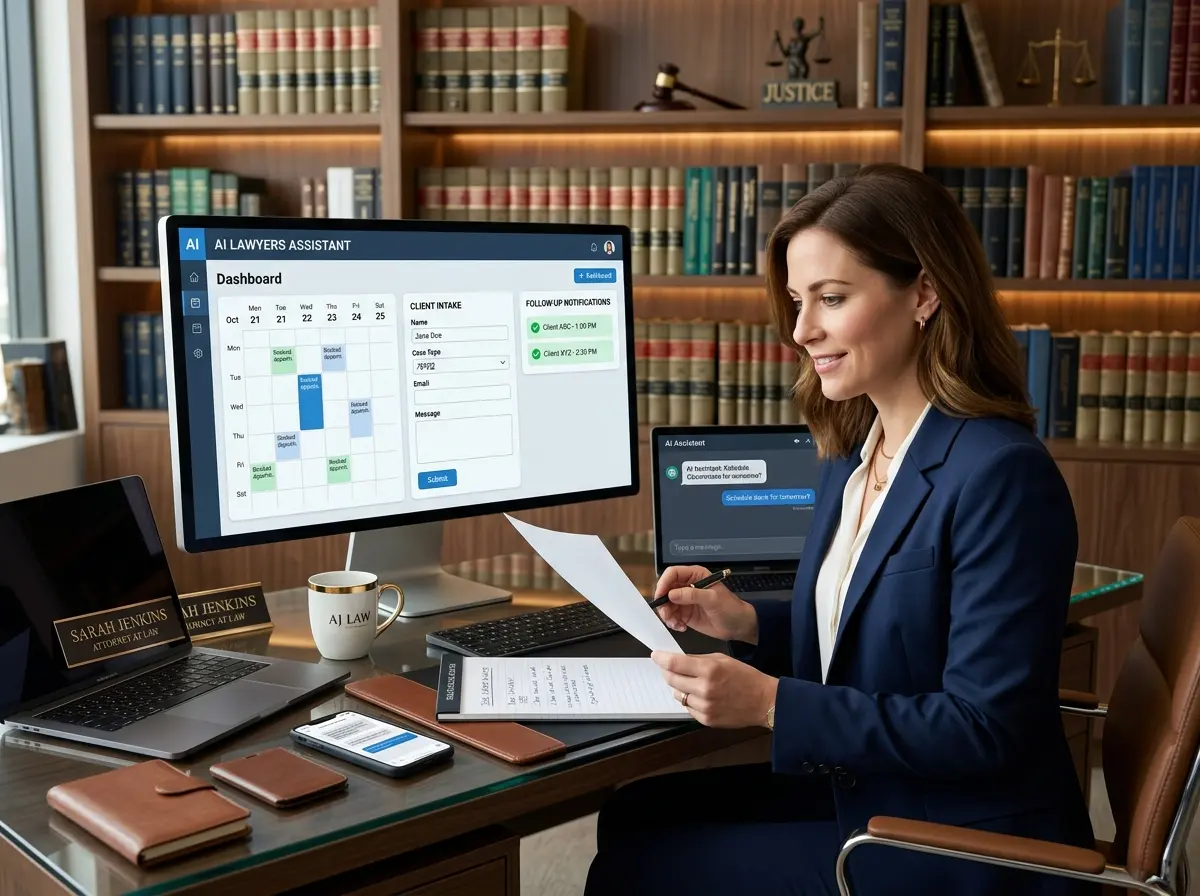
This is where things get genuinely interesting. Stella is an AI robot employee and phone receptionist designed to handle exactly the kind of front-end operational work that solo attorneys — and frankly, solo professionals in any field — struggle to manage alone. She answers phone calls around the clock, engages callers with natural conversation, and handles intake by collecting client information through conversational intake forms during the call itself. No hold music. No voicemail black holes. No "we'll get back to you within 24 hours" that turns into 48.
Stella also comes with a built-in CRM that stores contact details, supports custom fields and tags, and generates AI-powered client profiles from intake conversations. For a solo attorney, this means your new client's name, matter type, and contact information are already in your system before you ever pick up the phone to speak with them. That's not a small thing — that's hours of administrative work per week handed back to you.
And for attorneys with a physical office, Stella's in-person kiosk presence means that walk-in visitors are greeted professionally and can get answers to basic questions about services and consultations without pulling you away from billable work.
Building an Automated Intake and Follow-Up System That Works
Step One: Define What "Good Intake" Looks Like for Your Practice
Before you can automate anything, you need to know what you're automating. Sit down and map out the information you need from every potential client before you can have a meaningful consultation. This typically includes contact details, a brief description of the legal matter, relevant dates or deadlines, how they found you, and any immediate urgency. Once you have this list, you can configure an AI intake tool to collect it conversationally — so callers feel like they're talking to a knowledgeable receptionist, not filling out a government form.
The goal is to arrive at your consultation already informed. When a client calls at 11 PM on a Tuesday because they just received a legal notice, your AI intake system should be capturing the essentials so that when you review it Wednesday morning, you can prepare a meaningful response rather than spending the first ten minutes of a consultation asking for their last name.
Step Two: Automate Scheduling Without Losing the Human Touch
Calendar integrations have matured significantly. Tools like Calendly, Acuity, and others allow clients to self-schedule consultations based on your real-time availability, send automatic confirmations, and fire off reminders without any manual involvement. The key is connecting your intake process to your scheduling process — so that by the time a client books a consultation, they've already provided the context you need.
The human touch doesn't disappear here; it gets redirected. Instead of spending time on scheduling logistics, you spend it on the actual client relationship. That's a trade most attorneys would take every time.
Step Three: Build a Follow-Up Cadence That Runs Itself
A basic automated follow-up sequence for a solo law practice might look like this: an immediate confirmation after intake, a reminder 24 hours before a scheduled consultation, a check-in email three days after a consultation if no engagement agreement has been signed, and a periodic touchpoint for former clients around relevant dates or practice area news. None of this requires you to personally hit "send." It requires you to set it up once — and then leave it alone.
Email automation platforms, combined with a CRM that actually holds useful client data, make this entirely achievable. The firms and solo practitioners who do this well don't feel more robotic to their clients — they feel more attentive. Which, again, is one of life's better ironies.
Quick Reminder About Stella
Stella is an AI robot employee and phone receptionist available for $99/month with no upfront hardware costs and no complicated setup. She answers calls 24/7, handles intake conversations, manages client information through a built-in CRM, and can even greet visitors in person at your office kiosk. For a solo attorney who needs a professional front-line presence without hiring a full-time receptionist, she's worth a serious look.
You Didn't Build a Practice to Spend It on Hold With Yourself
The solo attorney who figures out operations wins — not because the law gets easier, but because they stop bleeding time and clients through the cracks that every solo practice has. Automating intake, scheduling, and follow-up isn't about replacing the human side of your practice. It's about protecting it. When your administrative processes run reliably, you show up to client interactions fully present, better prepared, and less stressed — which, not coincidentally, makes you a better attorney.
Here's where to start: audit one week of your incoming calls. How many did you miss? How many resulted in no intake data? How many potential clients never heard back? That audit will tell you everything you need to know about where your first automation investment should go.
Then set up one thing — an AI phone receptionist, an intake form, a scheduling link, a follow-up sequence. Just one. Get it working. Then build from there. The attorneys who are quietly thriving as solo practitioners aren't superhuman. They've just stopped trying to do everything manually, and started letting the right tools carry the load that was never really yours to carry alone.